
Application keys, made and managed on your Mac.
A Backblaze B2 application key is a pair of strings, a keyID and an applicationKey, carrying a set of capabilities and, optionally, a bucket or name-prefix restriction and a lifetime. This guide covers what the pieces mean, and how to create, scope and revoke keys from a Mac without opening the Backblaze web console.
One of four short guides to managing Backblaze B2 from your Mac.
The master key, and scoped keys
Your account’s master key sees every bucket, and it is the only key that can create another, because a key can never grant more than the key that made it. That makes it the natural way to start, and a legitimate thing to keep using. A scoped key is worth making per purpose because it limits what a mistake can reach, which is an argument about blast radius rather than virtue.
What a key carries
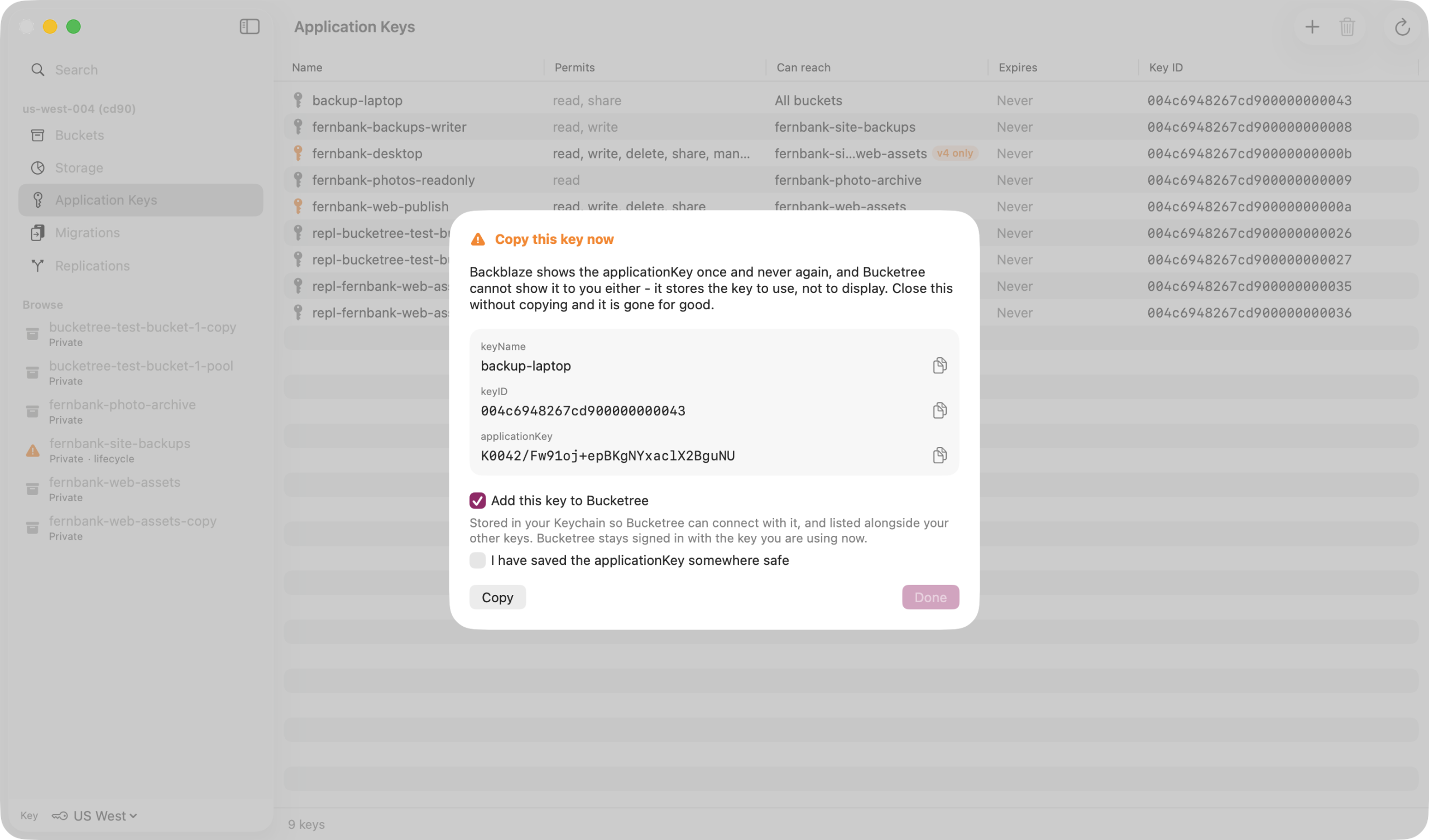
Capabilities decide what the key may do, from reading files to managing buckets and other keys. A bucket restriction pins the key to one bucket; a name prefix narrows it further, to files whose names begin with that prefix. A lifetime makes the key expire on its own. And the secret is returned exactly once, at creation: no listing will ever return it again, so whatever you do not copy at that moment is gone.
Backblaze docs, application keys
Doing all of it from the app
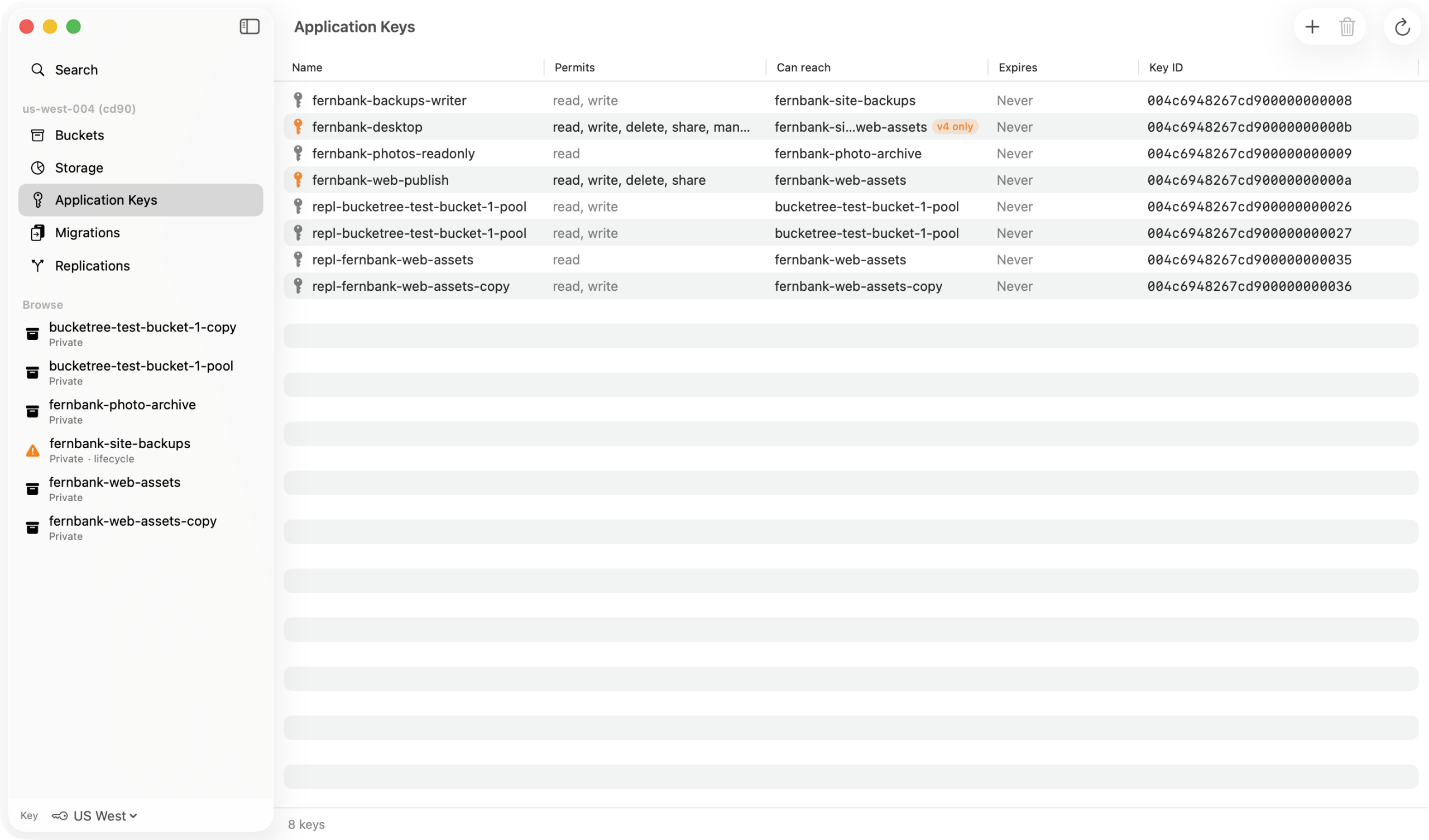
Bucketree signs in with any key and shows what it permits before storing it. New keys are created with presets, read only, read and write, full control, or capabilities picked one at a time, restricted to one bucket or a name prefix, with an optional expiry. The form only offers what your own key holds, and says so when that narrows the choice. The created-key sheet will not dismiss by clicking away, because the secret is shown once. And revoking happens in the same pane, the day the key’s job is done.
Thirty days free, then $25 a year.
Three Macs, or ten for a team, and no card to start. When the trial ends, browsing and downloading keep working.