
The Backblaze B2 client for Mac that manages the account.
Browsing files is the easy part and most clients stop there. The moment you need to do something to the account rather than to a file, they hand you back to a web browser. This one does not.
The difference is the account, not the files
Mint a key for a contractor and scope it to a single bucket. Find out why a bucket you emptied is still costing you every month. Write a lifecycle rule and be told what it will actually do to your files. Those are account operations, and they are the ones the clients compared below leave to the Backblaze web console.
That gap is not a matter of polish. A client built to speak twelve protocols can only expose what those twelve have in common, so the parts of B2 with no equivalent anywhere else are not there to be managed at all.
The difference
What none of the clients we checked can do
Bucketree creates, scopes and revokes B2 application keys in the app. Its B2-native design also preserves account controls that disappear from general-purpose clients.
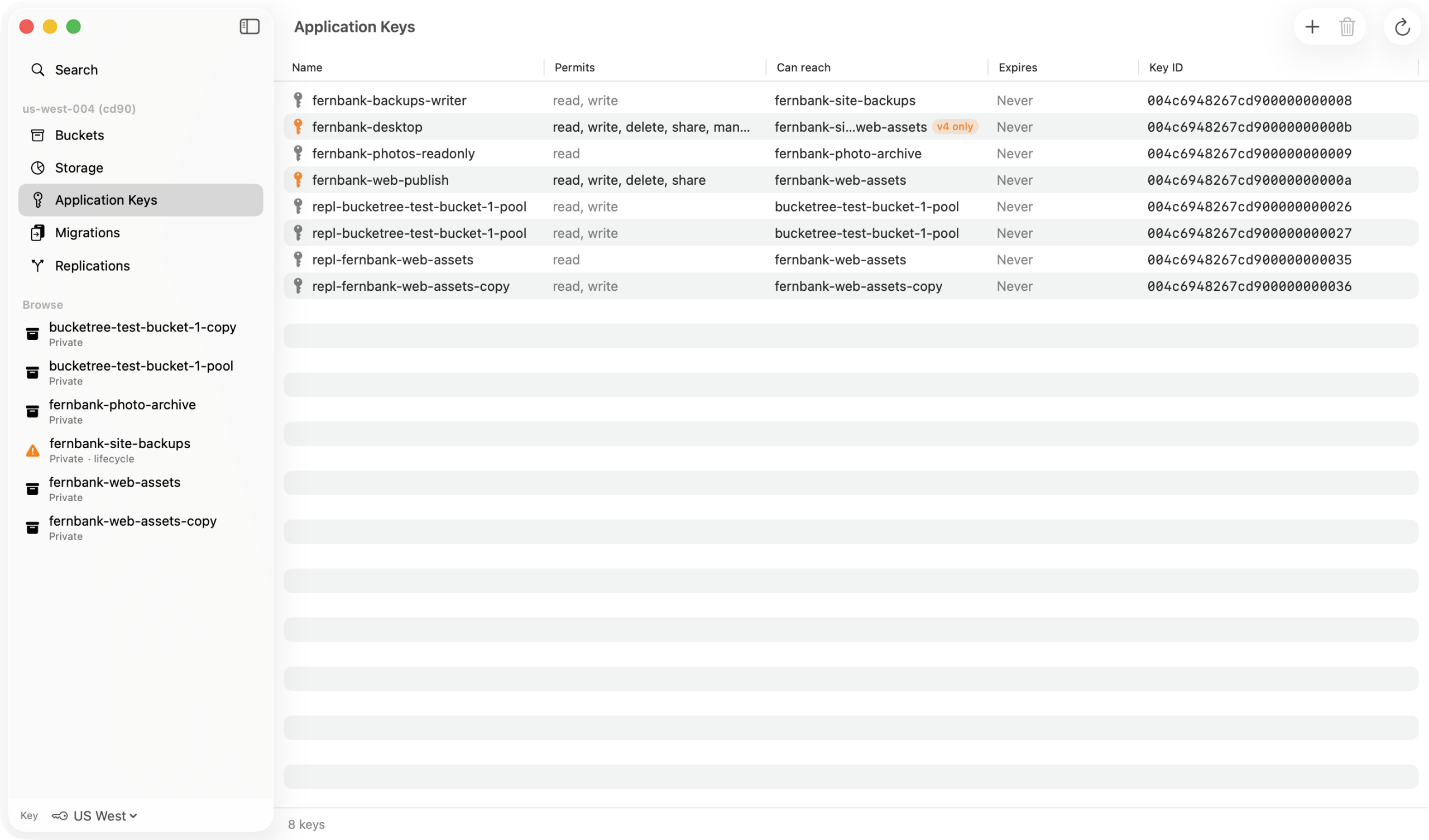
Application keys, in the app
Cyberduck’s own documentation is explicit: it cannot create, list or revoke a B2 application key at all. It consumes keys and tells you to get them from a browser. Bucketree creates them, scopes them to a bucket or a prefix, shows what each one permits, and revokes them.
The configurable surface
Lifecycle rules that state what will happen to your files, CORS rules grouped by the two API families that actually matter, Object Lock, default retention, legal hold and server side encryption.
Built for B2, not twelve protocols
Clients that reach B2 through the S3-compatible endpoint can only manage what that surface exposes. Drive Cyberduck against a live bucket and its B2 inspector offers Storage Class, Encryption, Transfer Acceleration, Bucket Access Logging and MFA Delete, all greyed out, because they are S3 concepts B2 does not have.
A protocol adapter is an intersection. This is the union of one service.
The landscape
Where each one stops
Every one of them moves files. The differences start the moment you need to change something about the account.
Cyberduck
Speaks the native B2 API and edits lifecycle rules. Its own documentation tells you to manage keys on the Backblaze website, and it cannot create, list or revoke one. It exposes no CORS editing either.
Mountain Duck
Mounts B2 as a disk, which is a different job from managing it. It runs on the Cyberduck engine and inherits the same limit on keys. It persists listings and re-indexes every ten minutes, so what you are looking at can be older than your own upload.
Transmit
Connects natively, asking for a keyID and an applicationKey. Panic’s documentation starts by telling you to create that key in Backblaze’s web panel first. Lifecycle rules, CORS and Object Lock appear nowhere in its documentation.
ForkLift
A dual-pane file manager in which B2 is one of twelve protocols beside SFTP, SMB, AFP and S3. It moves files between places. It does not manage what is at either end of them.
CloudMounter
Reaches B2 alongside a shelf of other services. It exposes no CORS editing for B2. The pattern by now is plain: the wider the protocol list, the smaller the part of B2 that survives it.
The Backblaze web console
Where every client above hands you back to, and the reason this page exists. Three parts of it have no API at all, so nothing replaces it entirely: Snapshots, Reports, and Caps and Alerts. Bucketree removes the trip you make most often.
The thing itself
Create and scope a key without opening a browser
Read only, read and write, full control, or pick capabilities one at a time. Restricted to one bucket or a name prefix. The form narrows your choice to what your own key actually holds, and says when it has, rather than sending a request Backblaze will reject.
The secret is shown once
B2 returns a new key’s secret exactly once and no listing ever returns it again, so the sheet will not let you dismiss it by clicking away.
Thirty days free, then $25 a year.
Three Macs, or ten for a team, and no card to start. When the trial ends, browsing and downloading keep working.