
What Bucketree does
Everything here is in the application you install, on every plan. In the order you are likely to meet it.
Flagship features
Six things you need
The console cannot search, cannot delete a full bucket, and hides what you are paying for. Bucketree can, and says what it is doing.
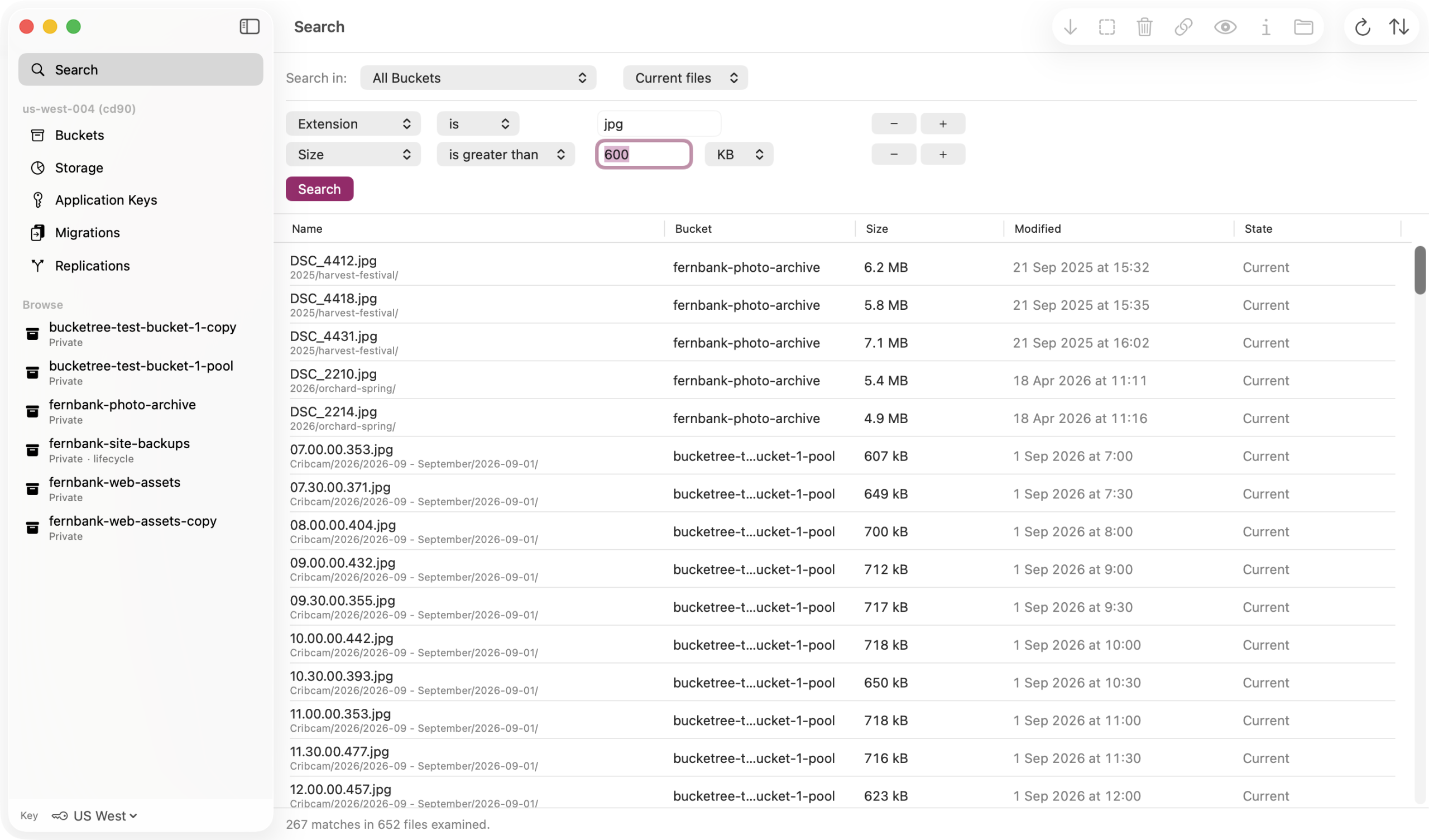
Search every bucket you have
The console has no search at all. Bucketree searches all of them at once and acts on what it finds.
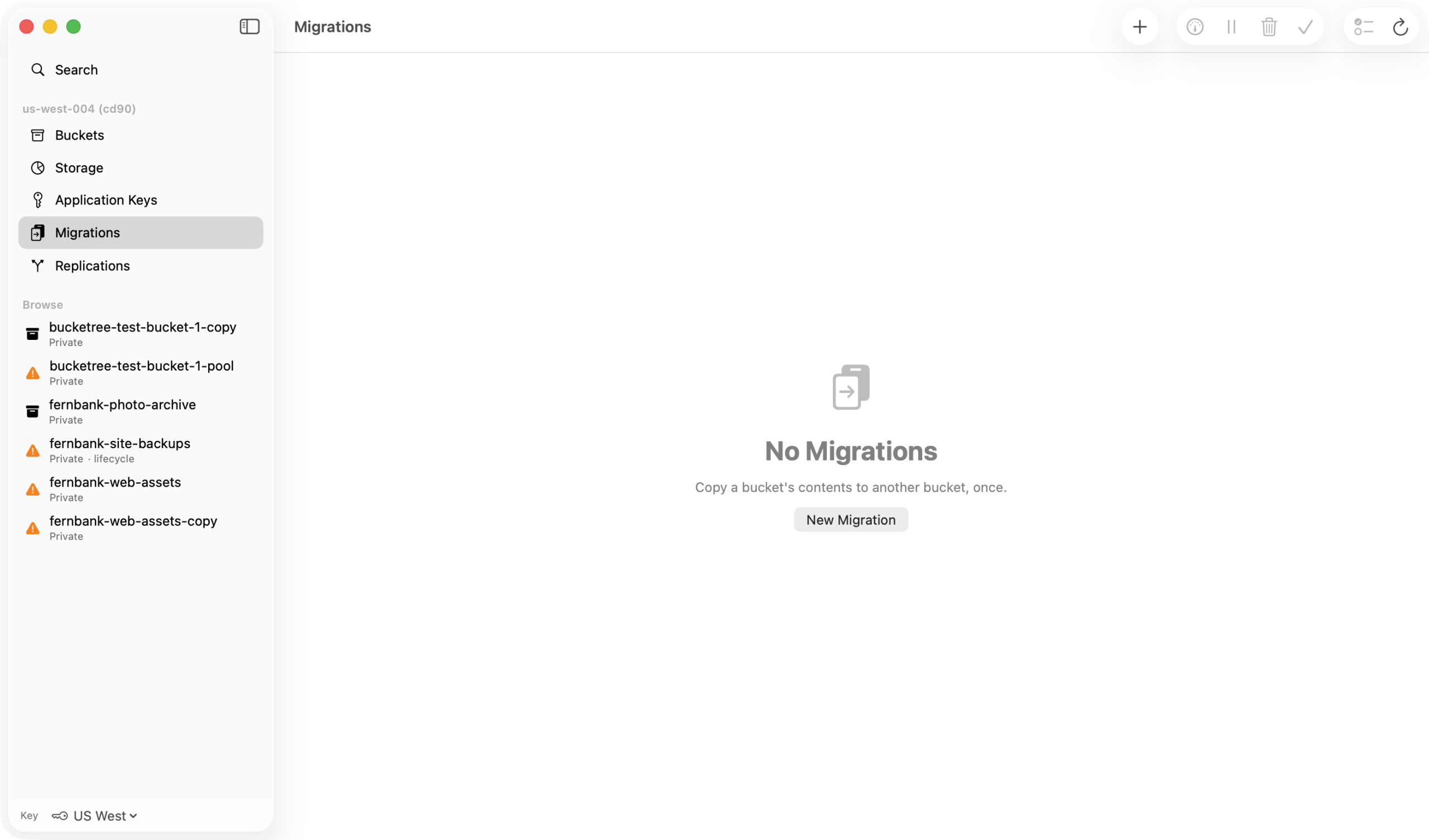
Move a bucket without moving a byte
Backblaze copies it on its own servers. Bucketree sets it up, counts what will not come across, and finishes the job.
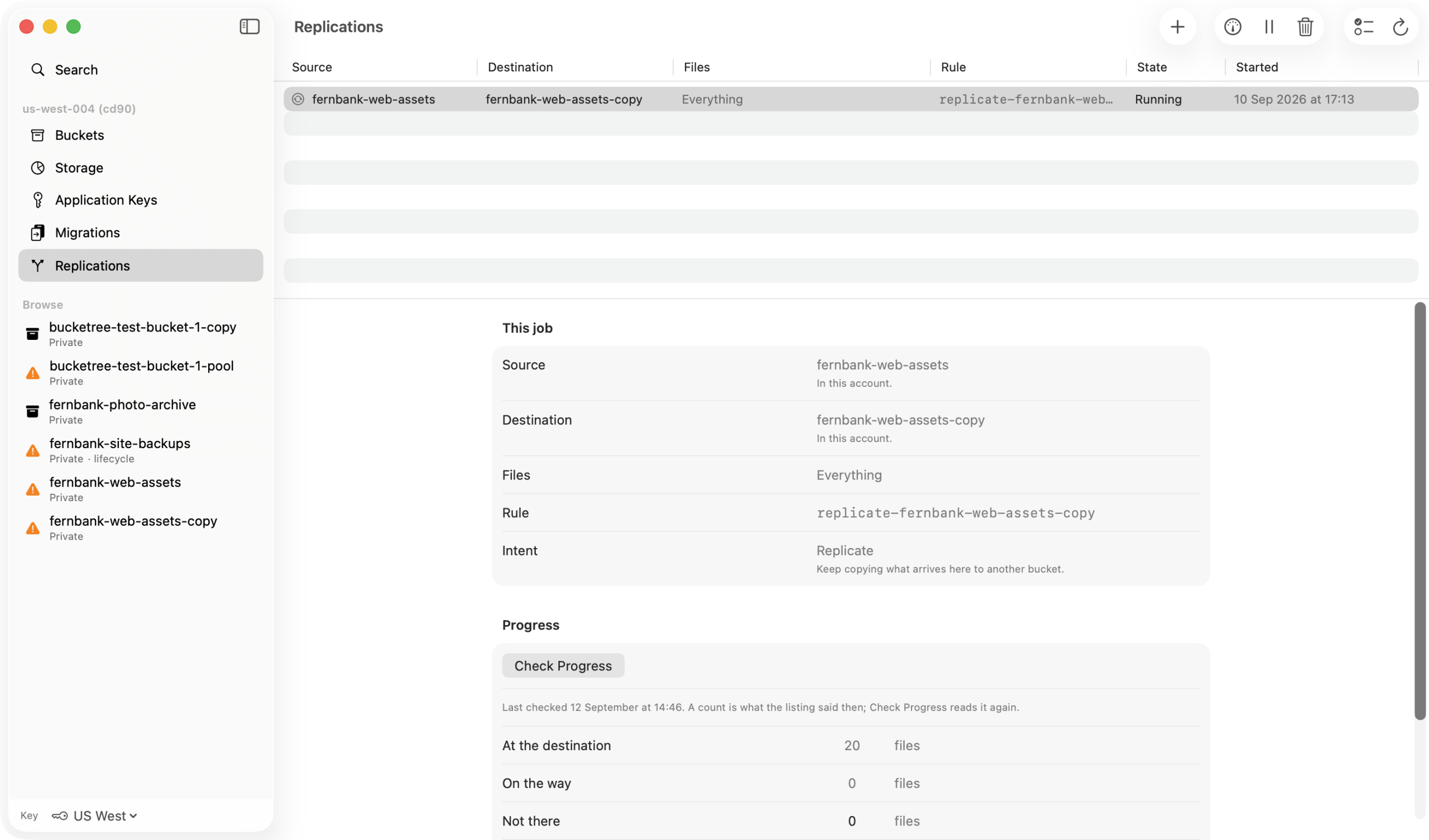
Copies that tell you what they are not
Replication in six steps, with everything Backblaze leaves out said before it starts.
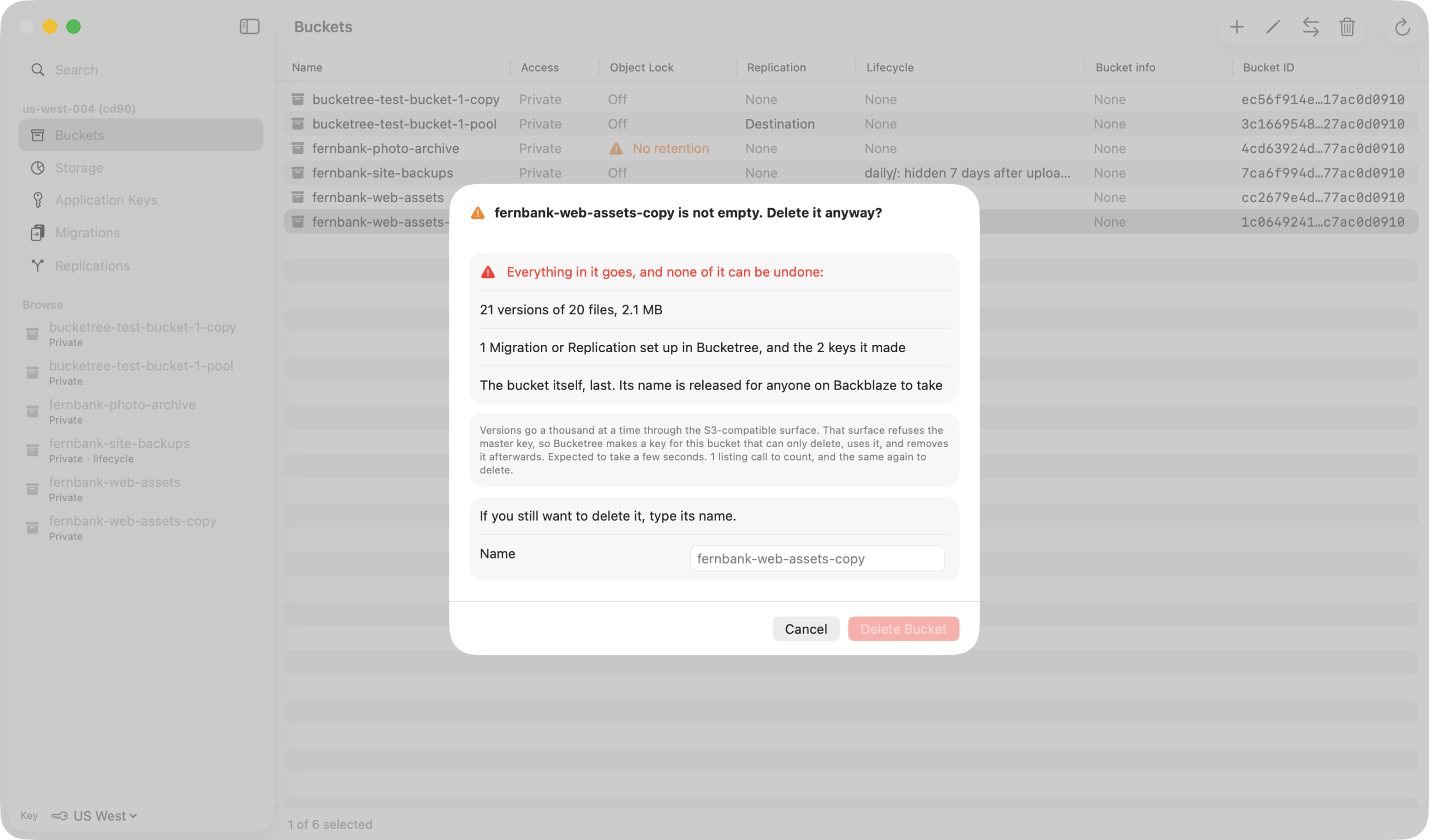
Delete the bucket the console refuses to
Every version, every marker, every unfinished upload, one confirmation, then gone.
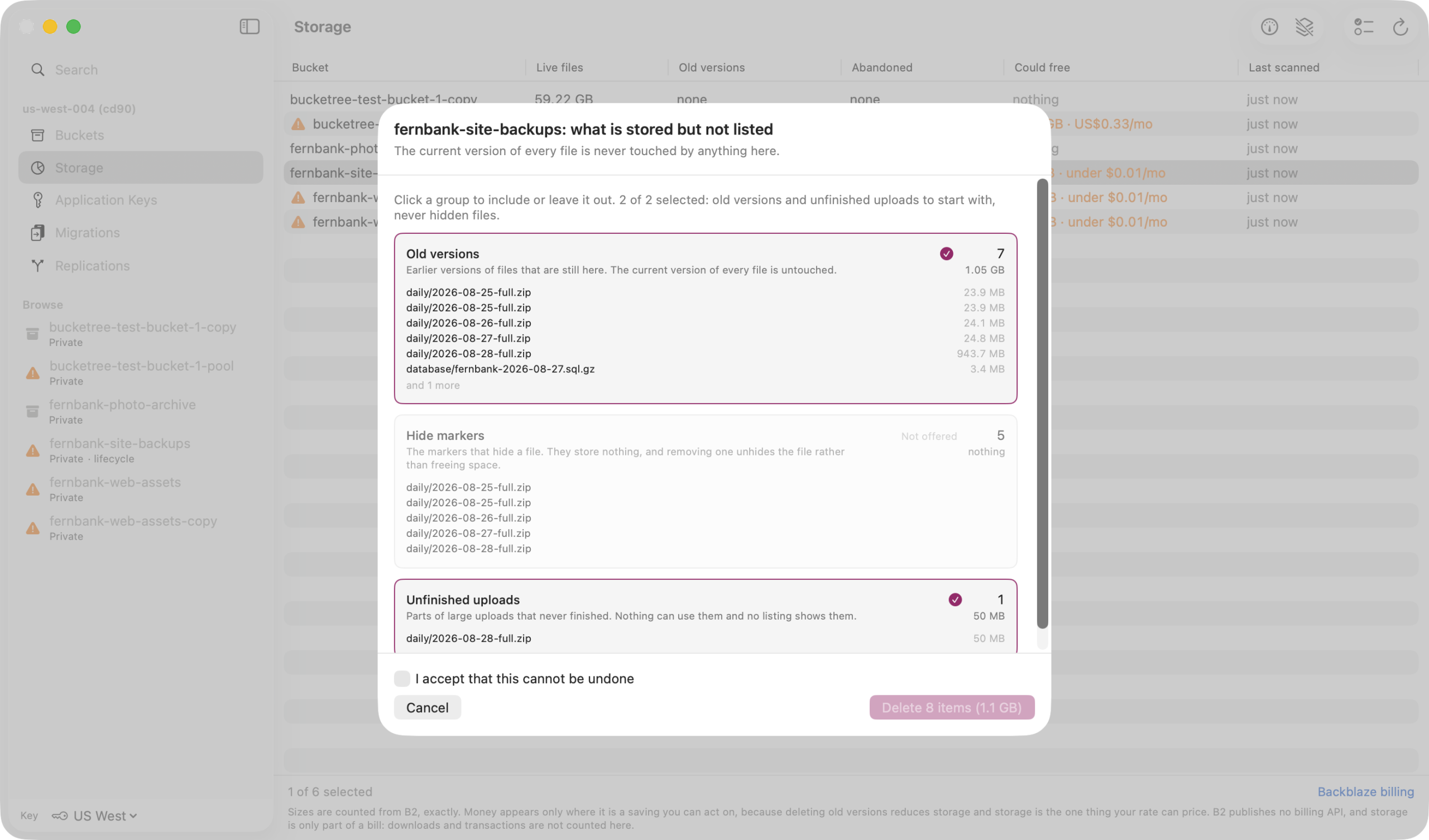
Stop paying for what you cannot see
Old versions, hidden files and abandoned uploads, found by group and removed on your say.
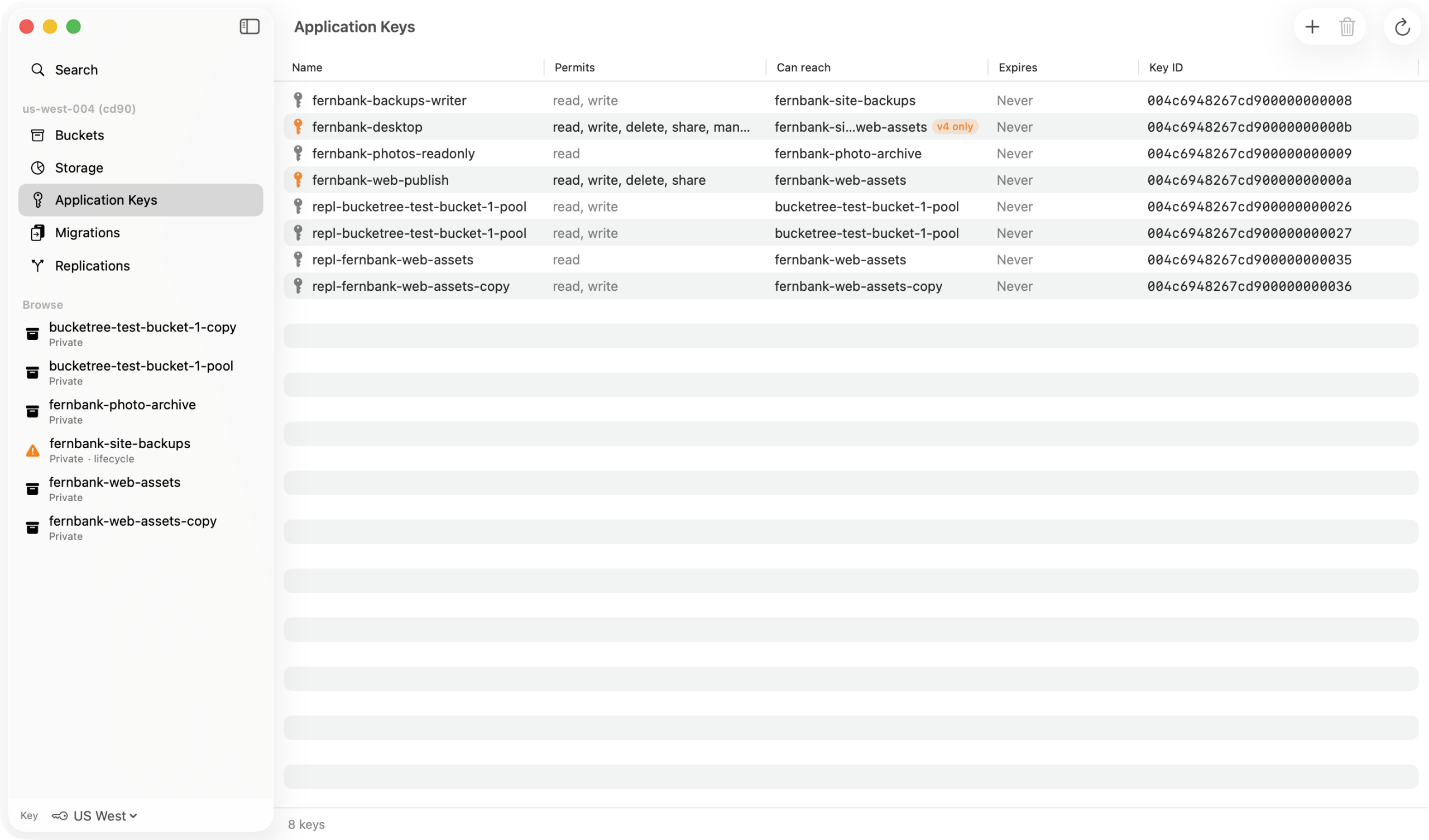
Keys made, scoped and revoked
No browser. Presets instead of checkboxes, the secret shown once, and no key can grant more than its maker.
Coming soon
An MCP server that never sees your key
Let Claude, or any MCP client on your Mac, work in your buckets with the key Bucketree holds, which it never sees. First update after launch.
Your account
Your account, or several
Sign in with any application key, including your master key, which sees every bucket and can mint any other.
It checks the key before it stores it
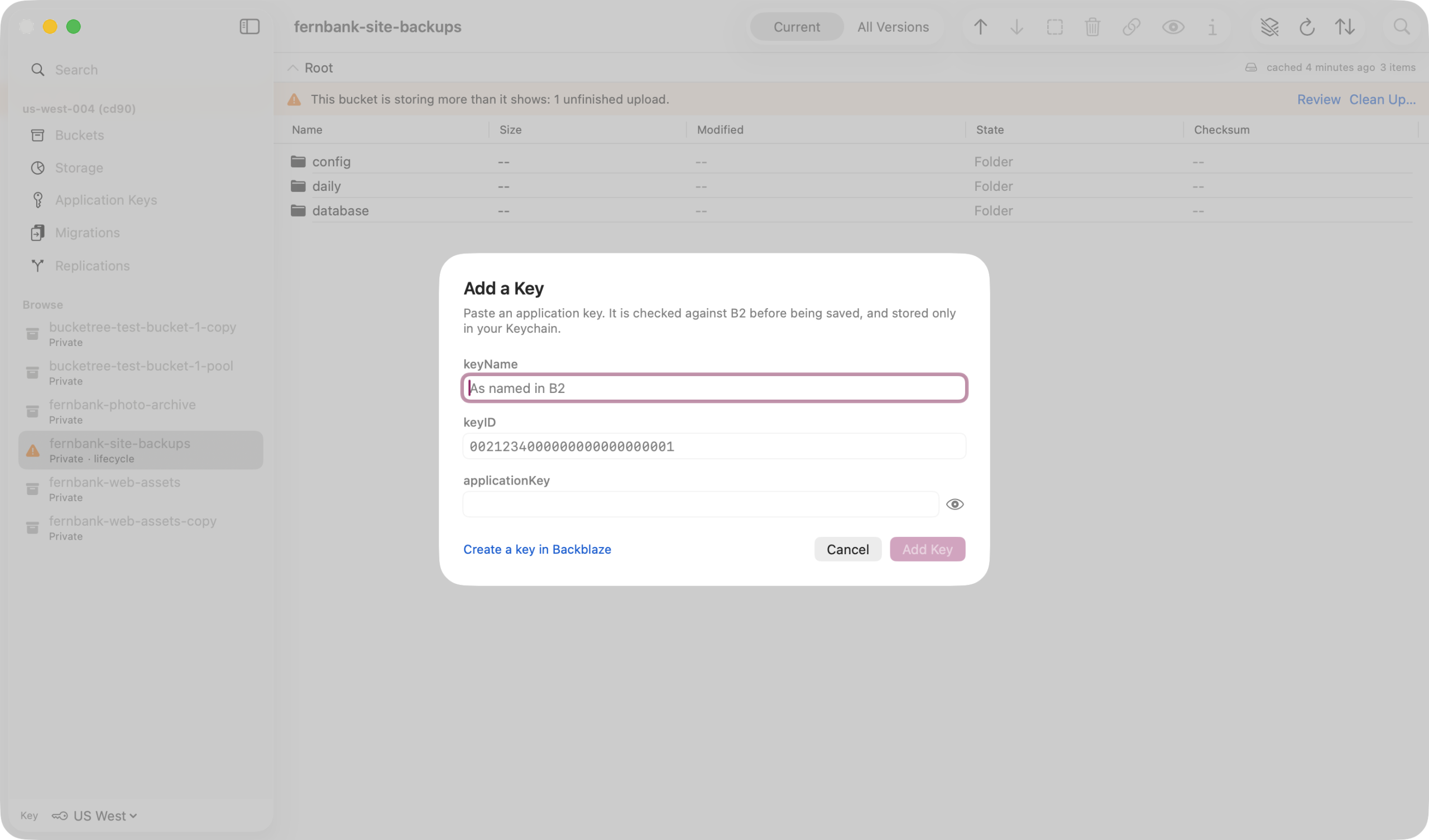
On first run you paste a keyID and applicationKey. Bucketree authorizes it, then shows you exactly what that key permits before anything is written to the keychain.
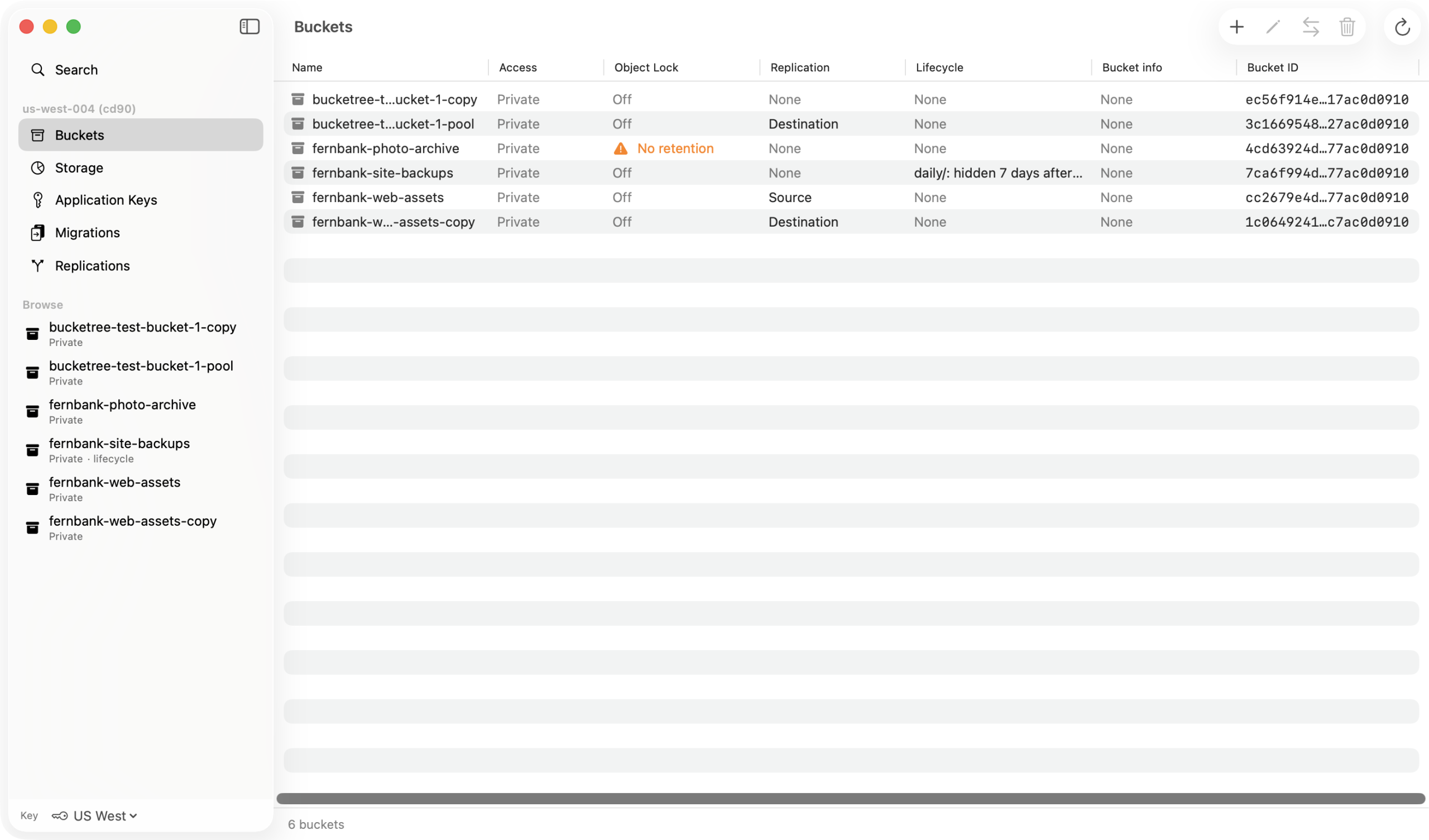
Every account in one sidebar
Buckets sit above the three account panes, Buckets, Storage and Application Keys, on Command 1, 2 and 3. Add more accounts and switch between them in the sidebar; each key is validated when added and stored in your Mac’s keychain.
Application keys
Keys, created and controlled in the app
Sign in with any key, then make the rest here. Read only, read and write, full control, or capabilities one at a time, restricted to one bucket or a name prefix, with an optional lifetime.
Scoped in one sheet
Pick a preset, a bucket or a prefix, and a lifetime. The form only offers what your own key holds, and says so when that narrows the choice.
The secret, once
B2 returns a new key’s secret exactly once. The sheet will not dismiss by clicking away, and one button copies keyName, keyID and applicationKey together.
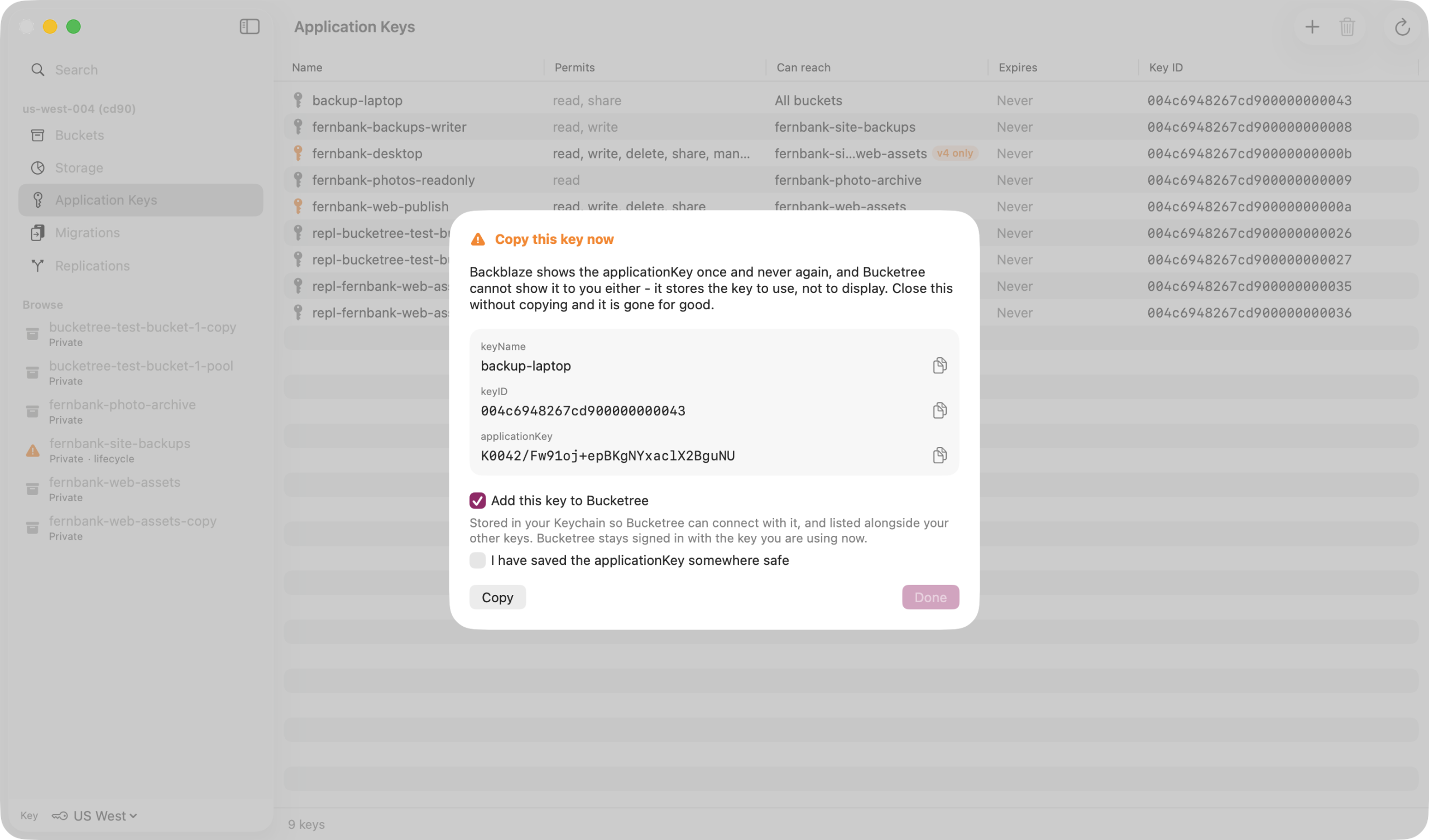
Revoked when the job ends
Delete a key from the same pane the day the script it was for is finished. The key the app is signed in with stays out of reach of a multi-row delete.
Browsing
Browsing a bucket
A listing is kept for one run of the app and dropped the moment anything is written, so you are never shown a folder that predates your own upload.
Folders, breadcrumbs and paging
B2 stores name prefixes rather than folders, and Bucketree presents them as folders anyway because that is what they are for. Paging fetches a thousand names at a time.
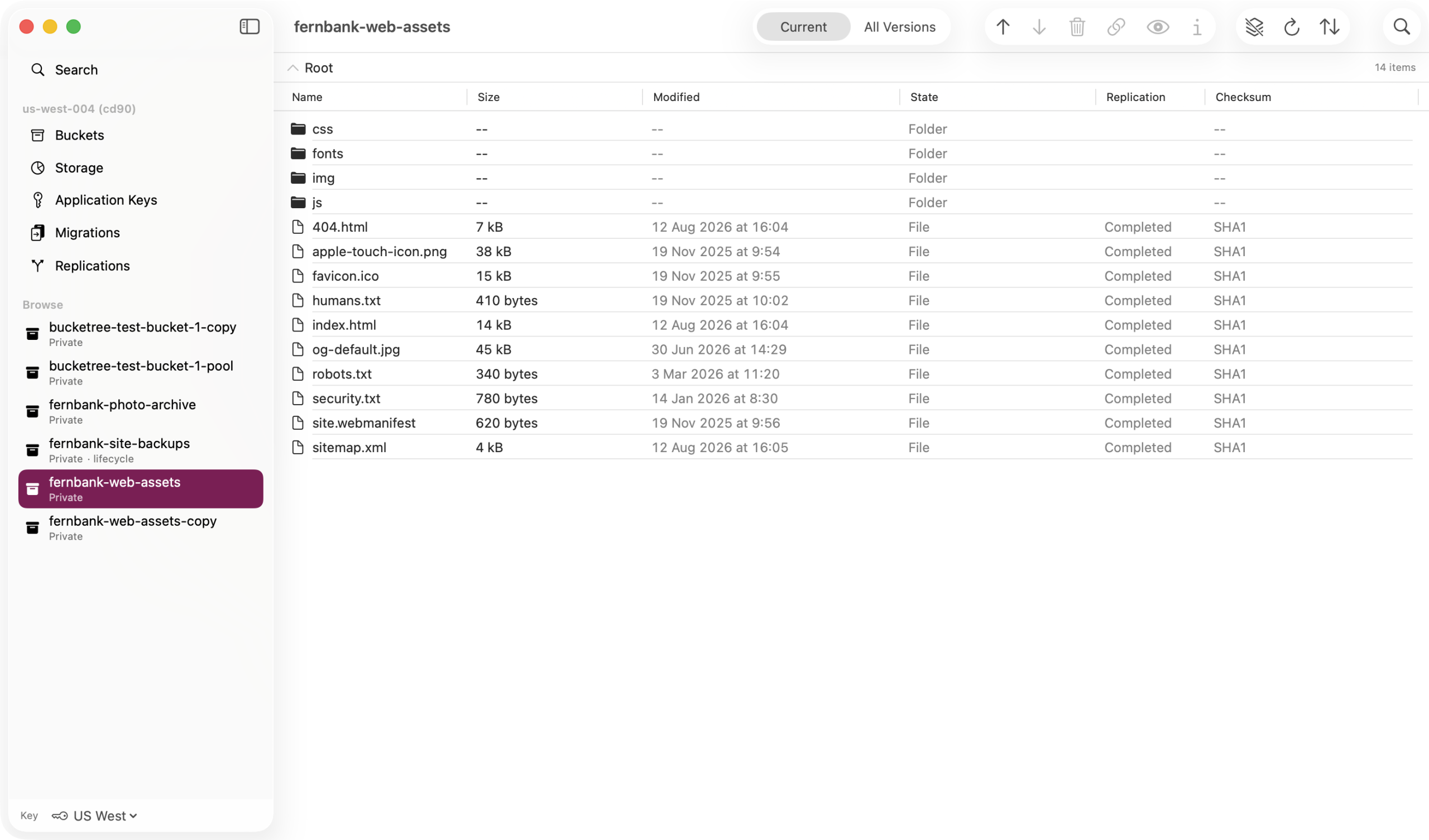
Current, or every version
Switch between the current files and every version. Hide markers appear as what they are, rather than as a display toggle you have to know about.
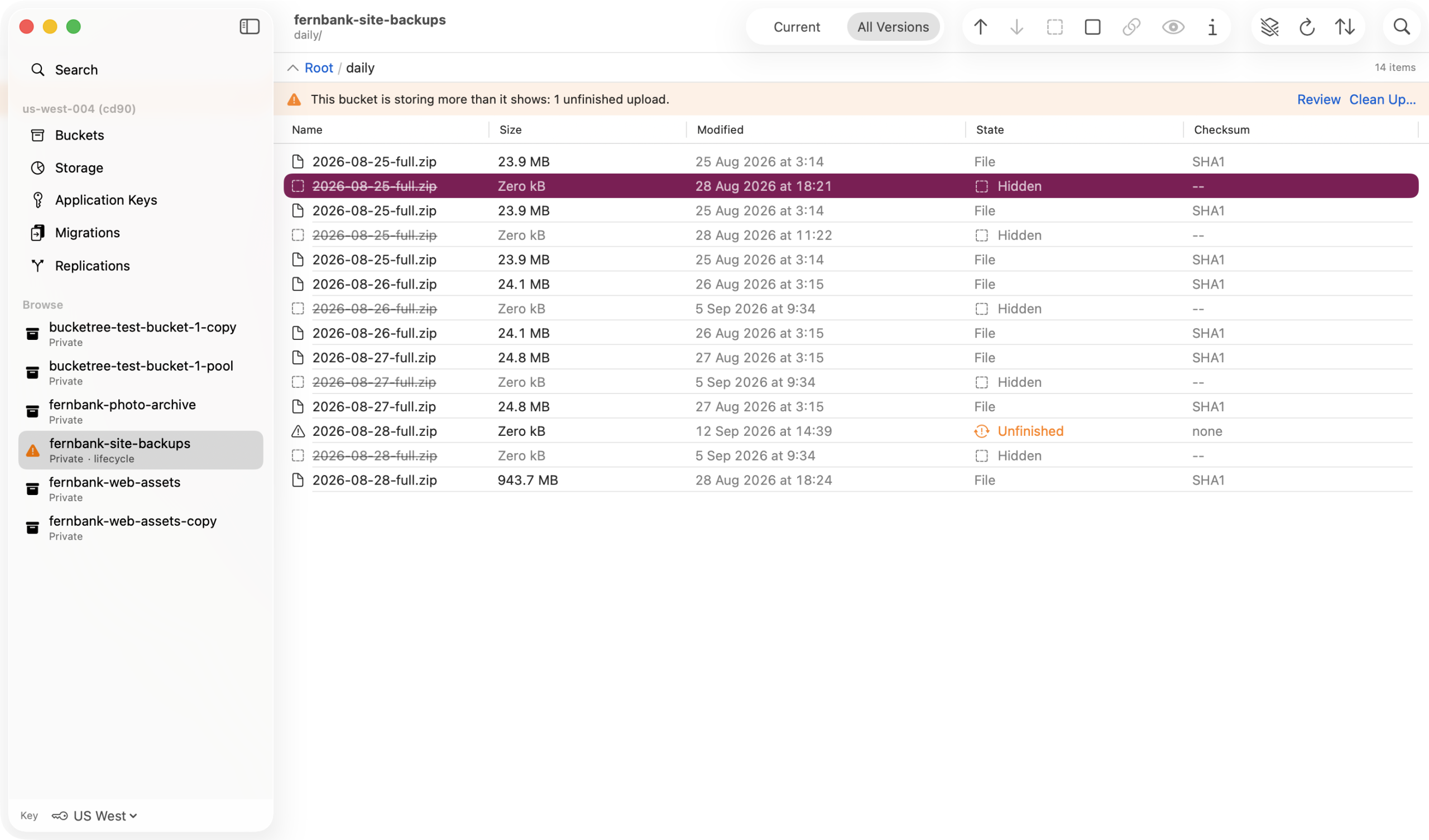
Look inside without downloading
Press Space and the file is fetched into a cache you never manage. Over 50 MB it asks first and says it counts as egress.
Transfers
Moving files in and out
A checksum is recorded for every upload at any size and verified on every download. A file whose uploader recorded none is reported unverified rather than passing quietly.
Drag in, drag out
Folders go up and come back as a tree, including the contents of app bundles and the dotfiles a backup would be broken without. One bad file does not stop the other four hundred.
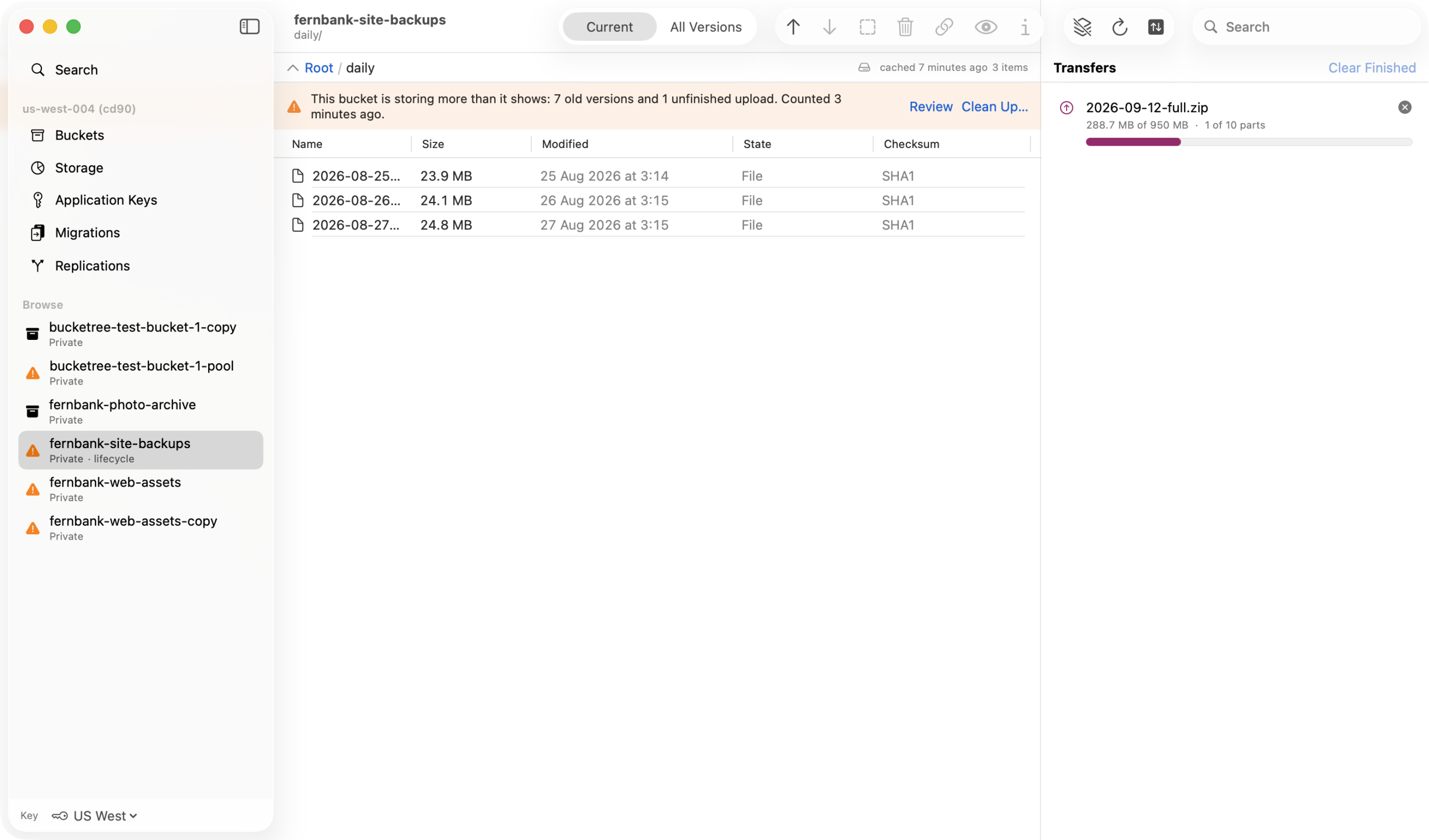
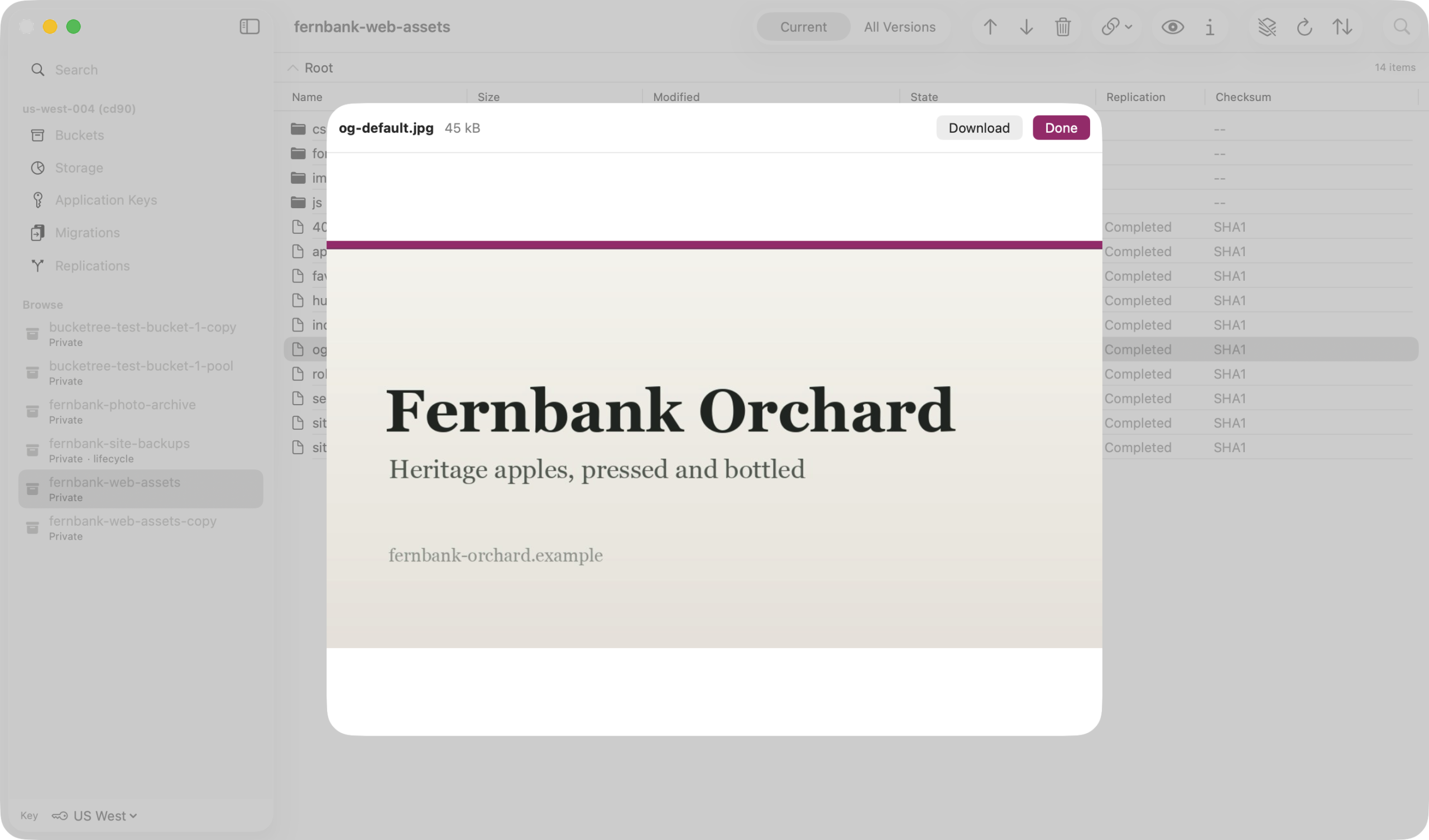
The uploads you forgot are still billed
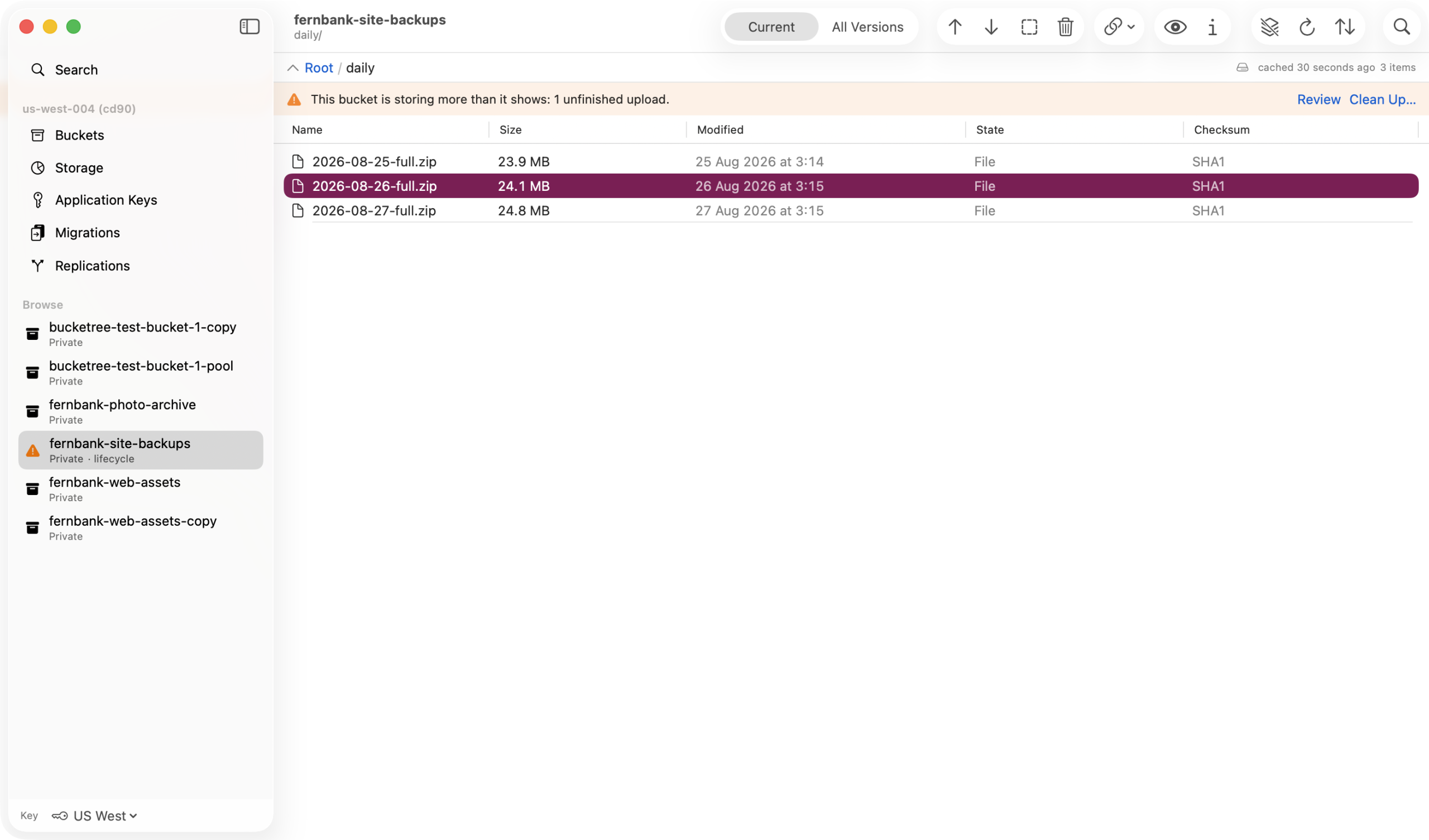
An interrupted large upload leaves its parts on B2, billed, and invisible to every ordinary listing. Bucketree finds them, tells you what they are costing, and offers to finish or discard them.
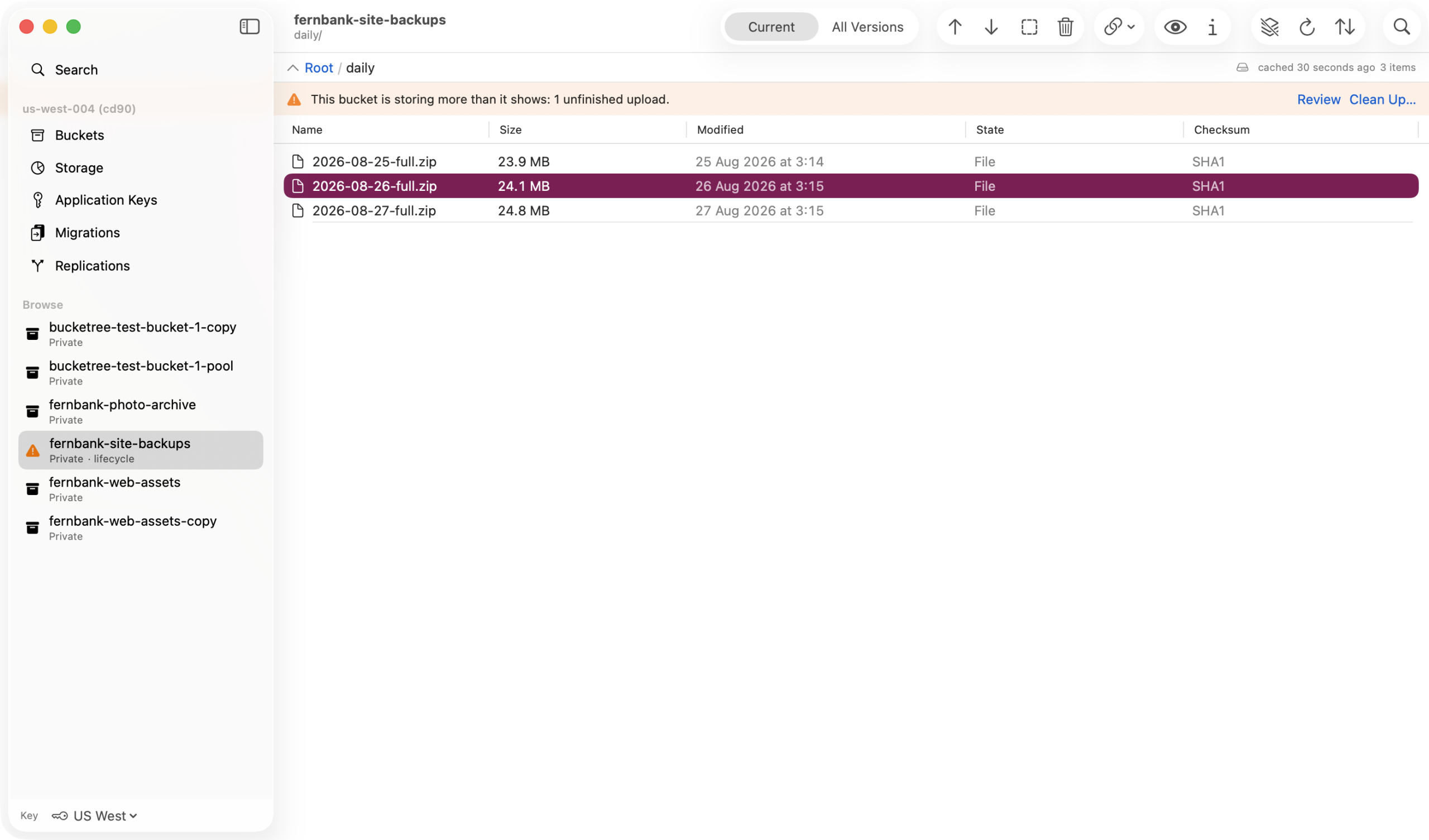
Resume, without re-reading the file
A resume continues from the parts Backblaze already holds and never re-reads the file to hash it again, because the checksum recorded at the start still stands.
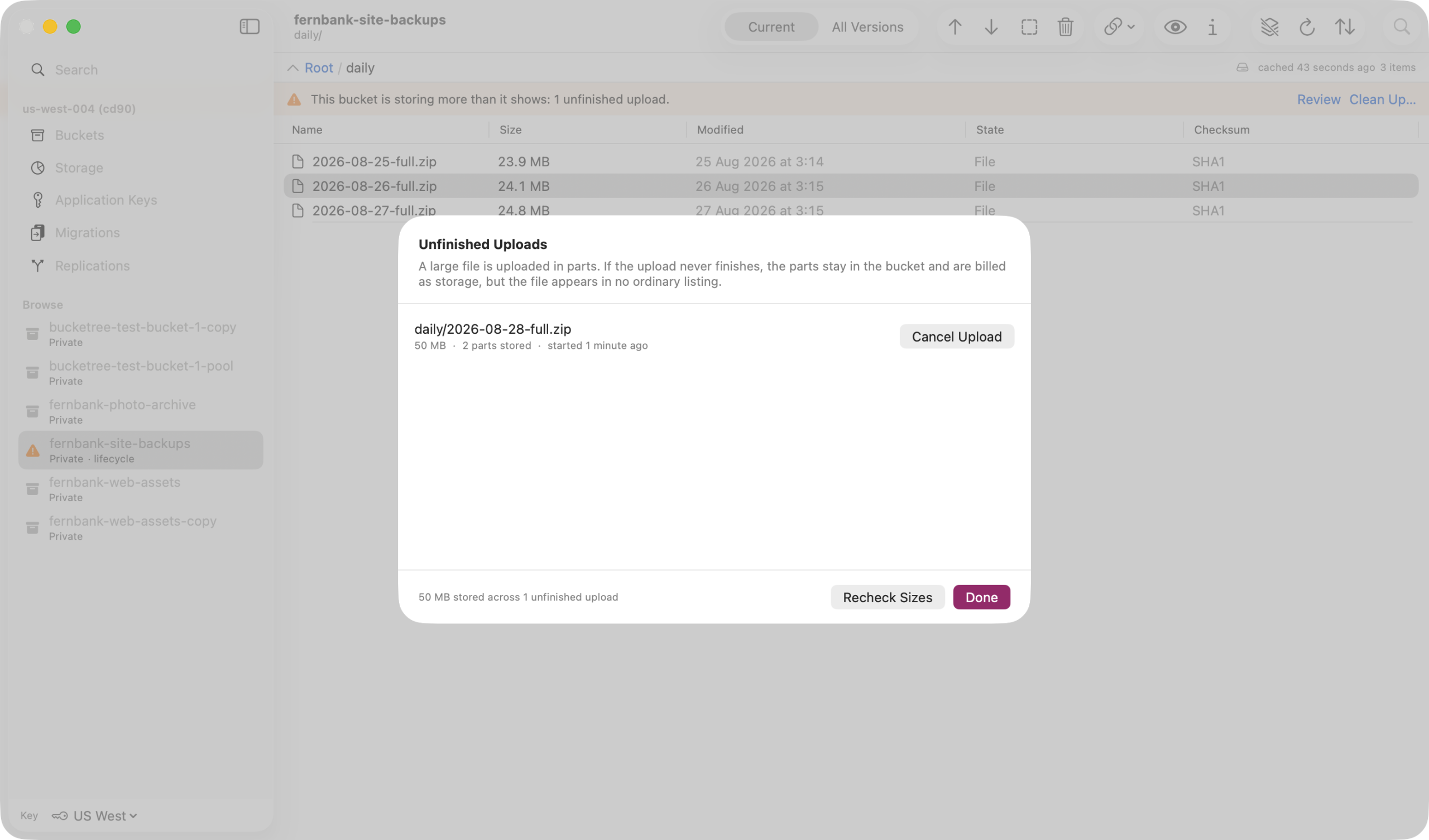
Buckets
Bucket settings
Lifecycle rules, CORS, Object Lock, default retention and server side encryption. A key that cannot read a setting is reported as unable to read it, never as though the setting were off.
One sheet per bucket
Every setting the B2 native API exposes, in one place, with the optimistic check that turns two clients editing at once into a clear message rather than a silent overwrite.
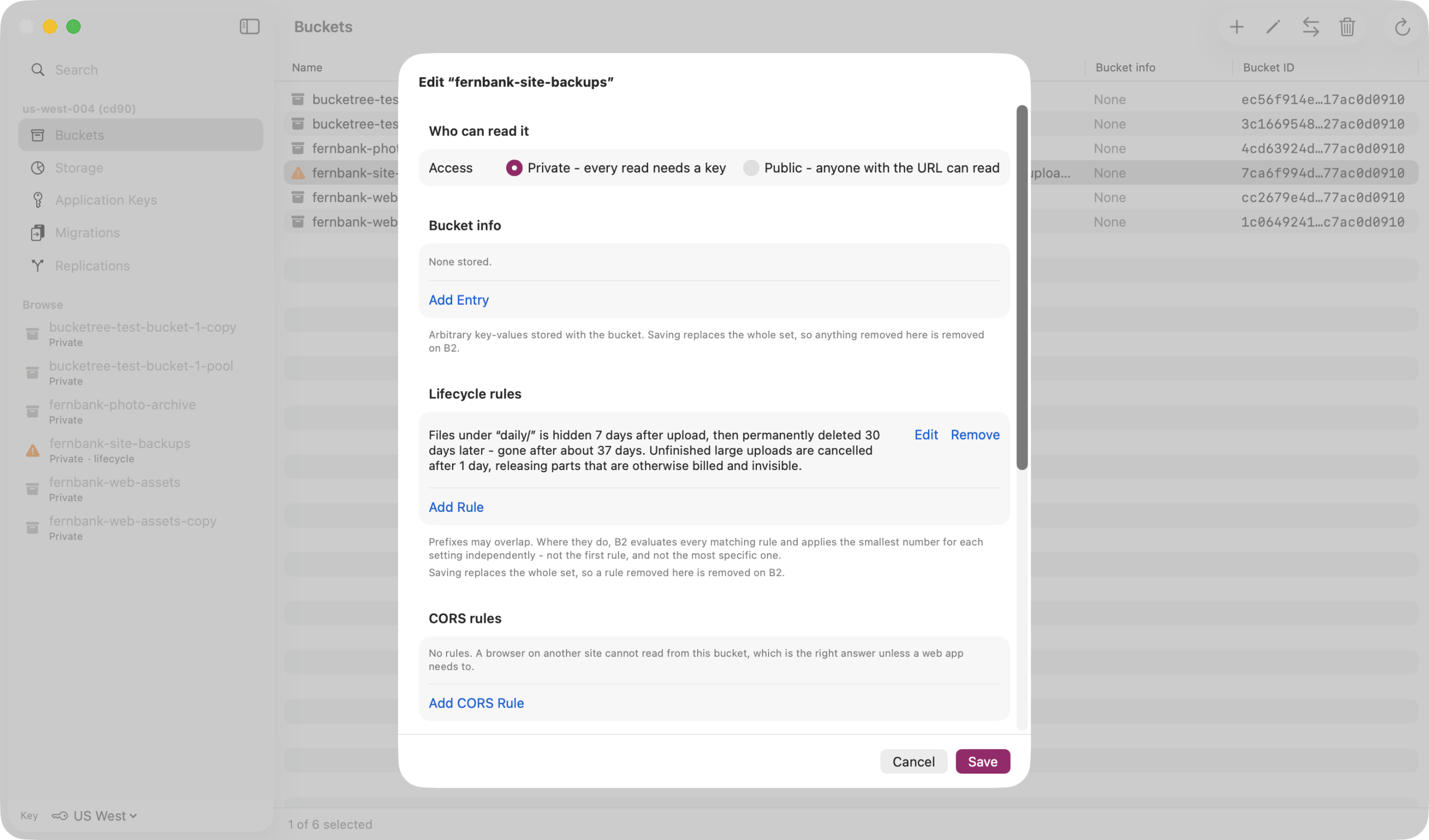
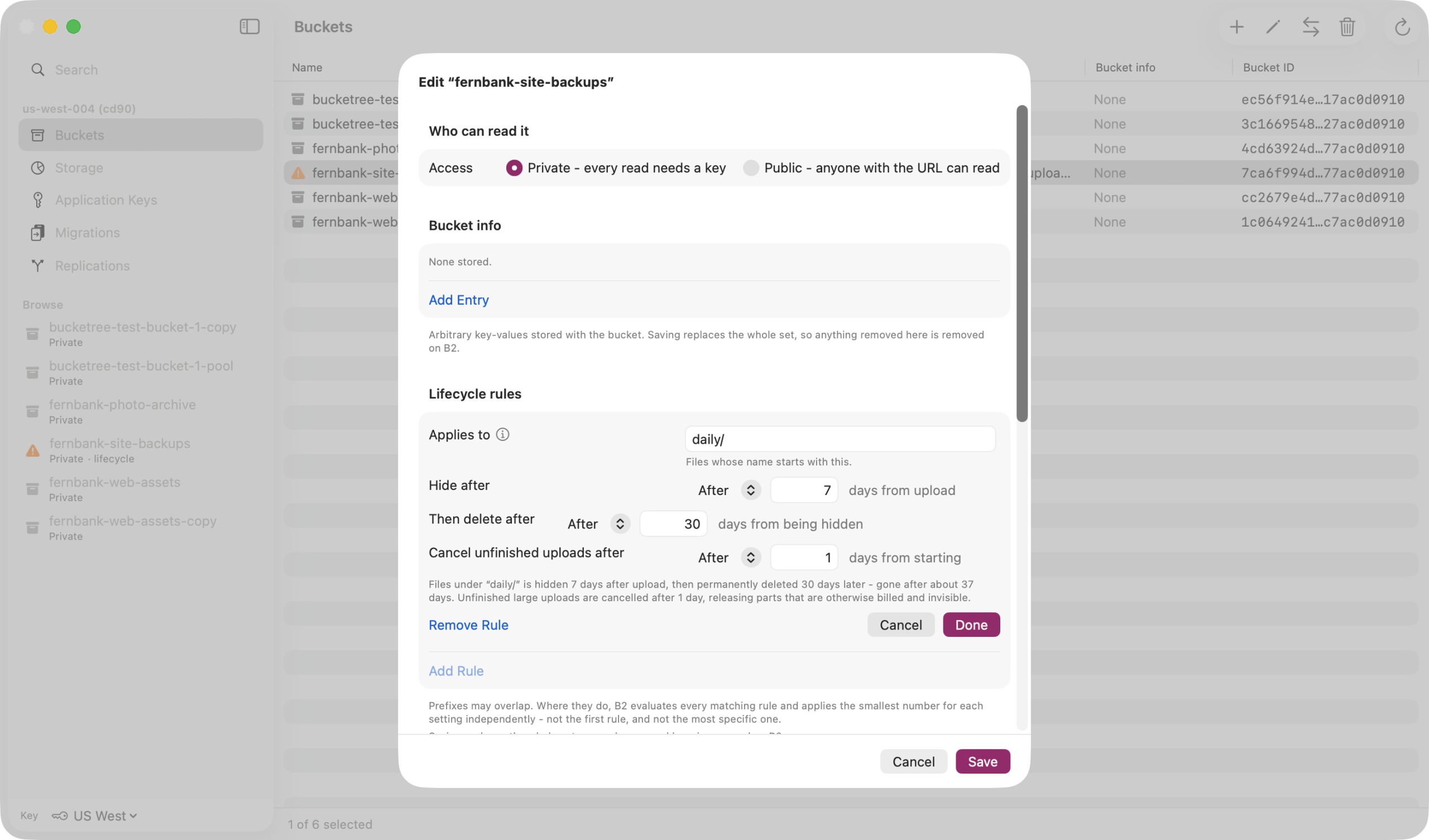
Lifecycle rules, both clocks
Days from uploading to hiding, then days from hiding to deleting, each with its own field and a plain sentence for the total. Hiding with no deletion rule keeps every version billed forever.
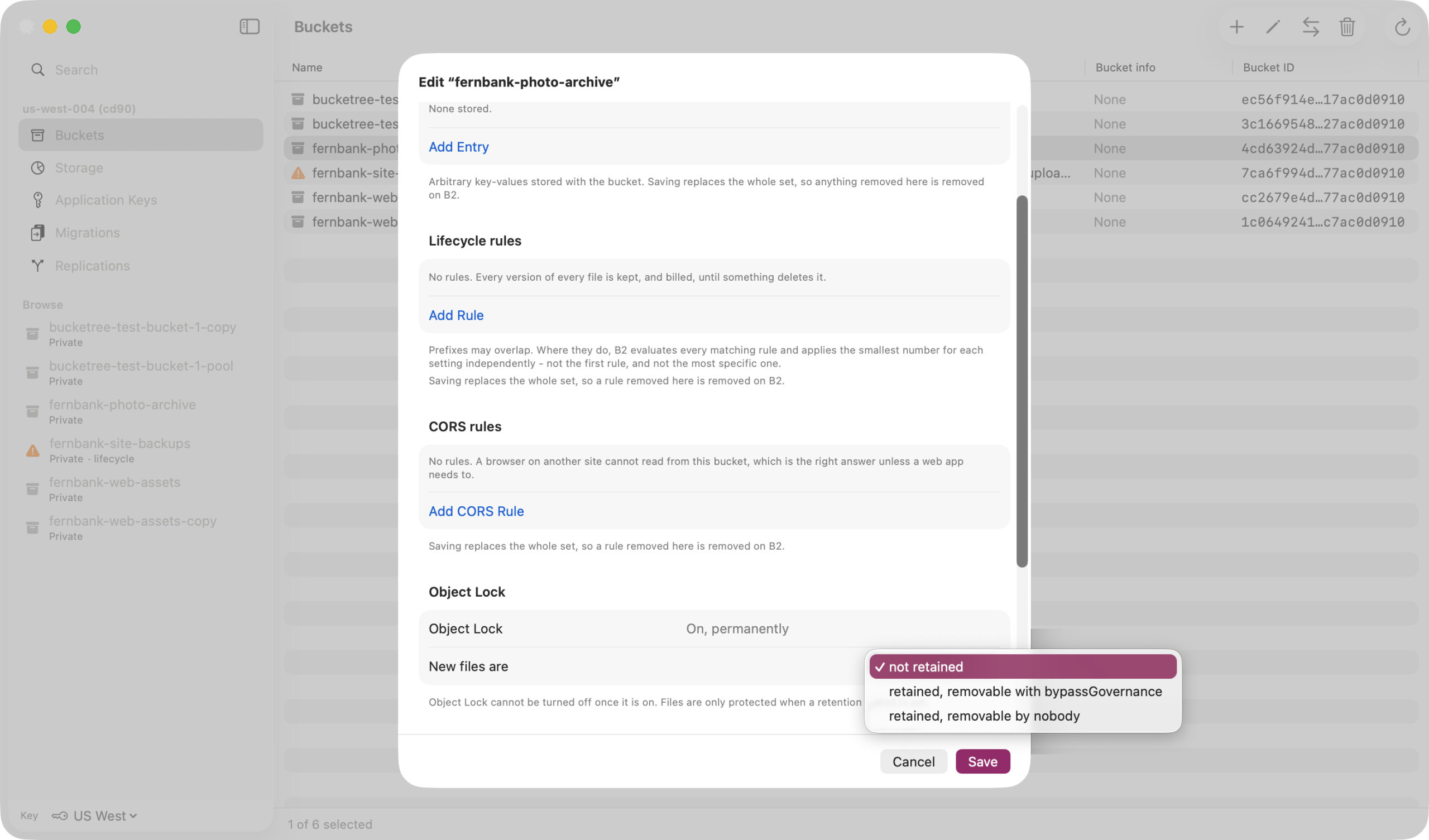
Object Lock, and what it costs to get wrong
Enabling Object Lock cannot be undone, so the sheet says so first. A bucket with lock on and no default retention is reported as protecting nothing, which is what Backblaze warns.
Finding, moving and clearing
Finding, moving and clearing
The console cannot search, cannot delete a full bucket, and hides what you are paying for. These four are the reason the app exists.
Search every bucket you have
One field in each bucket’s toolbar, and a Search pane over every bucket with conditions on name, extension, size, date, kind and encryption. Results act like a bucket: download, share, hide or delete them where they are. Read about search.
Copy a bucket without moving a byte
Backblaze copies it on its own servers, into this account or another. Bucketree sets it up, counts what will not come across before it starts, and finishes the job when everything has arrived. A replication keeps copying what arrives, and says up front what Backblaze leaves out. Read about migrations.
Delete the bucket the console refuses to
Every version, every hide marker, every unfinished upload, counted first and listed in one confirmation with the bucket’s name typed, then gone. Files under retention or legal hold are refused before anything starts, never halfway. Read about deleting buckets.
Stop paying for what you cannot see
Old versions, hidden files and unfinished uploads are stored and billed and appear in no listing. Clean Up finds them by group with their sizes and removes the groups you choose; hidden files are never selected for you. Read about Clean Up.
Protecting and sharing
Protecting files, and sharing them
Retention and legal hold are set per file. Both are real B2 protections rather than app-level flags, so what the app shows is what the account will enforce.
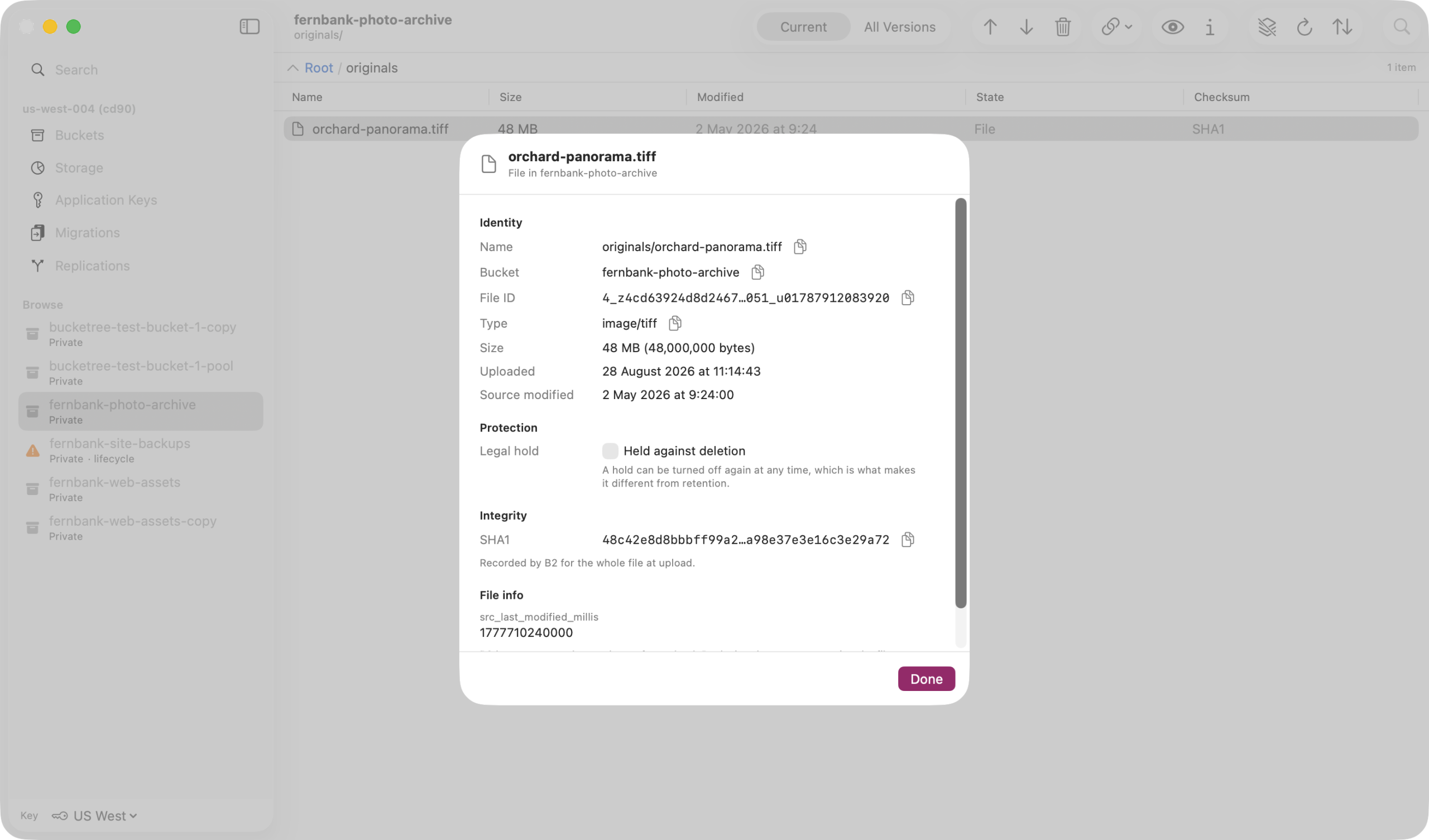
Legal hold is the one that lifts again
Retention under compliance mode cannot be removed by anyone, so it sits behind a type-the-name gate. Legal hold is the only protection in B2 that can be lifted, and the inspector says so where the switch is.
A delete prompt that does not invent a number
Deleting one file’s versions walks the whole version list, so that prompt states no count and tells you what the view is hiding instead: older versions and hide markers. Deleting a bucket or a folder counts everything first, so that prompt shows the list. Neither invents a figure.
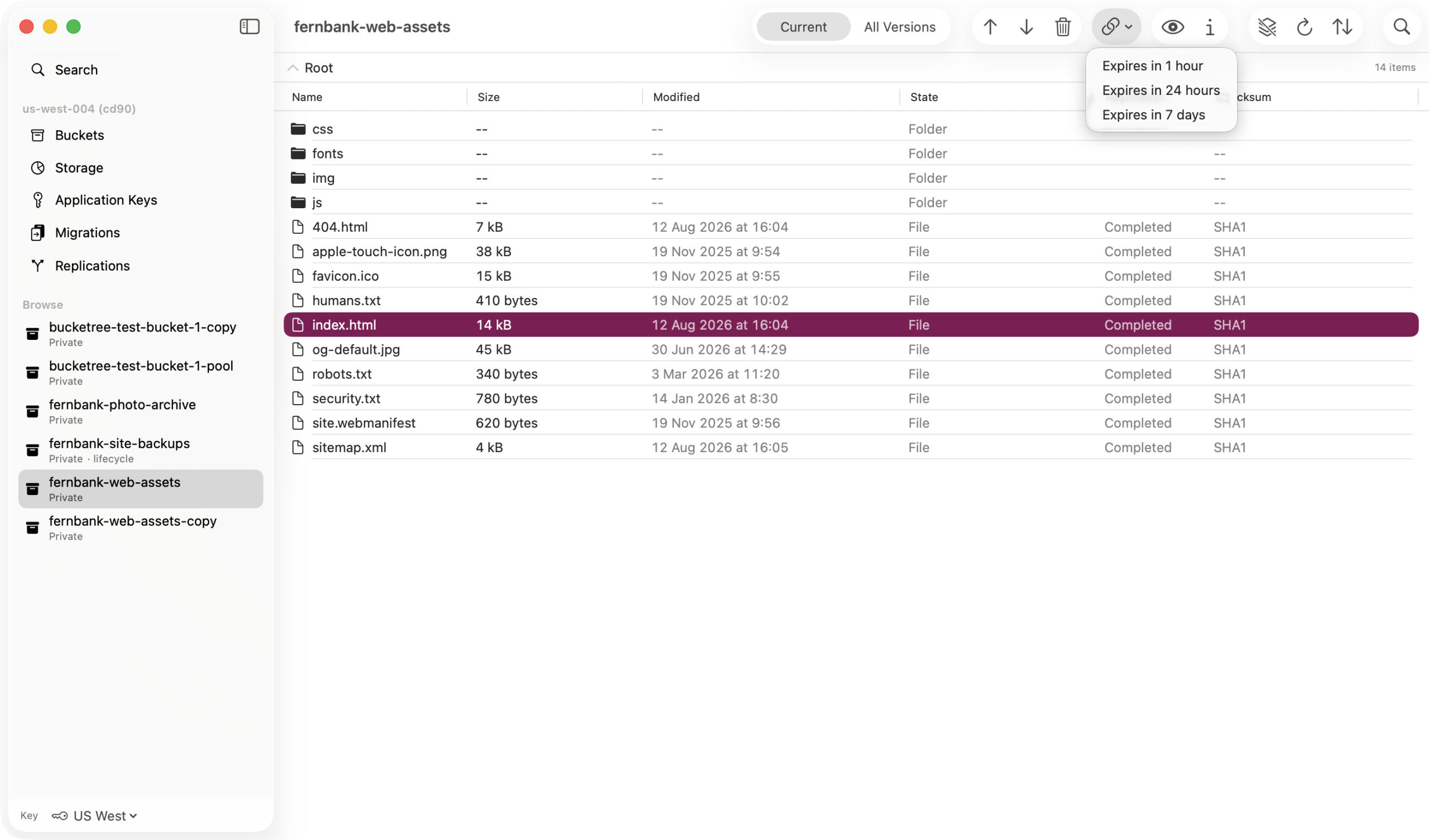
Links that expire when you said
One hour, twenty four hours, or seven days, which is B2 maximum sent exactly rather than a number it will clamp. The expiry is recorded in the log, because that is the one thing worth remembering about a share link.
Knowing what you have
Knowing what you have
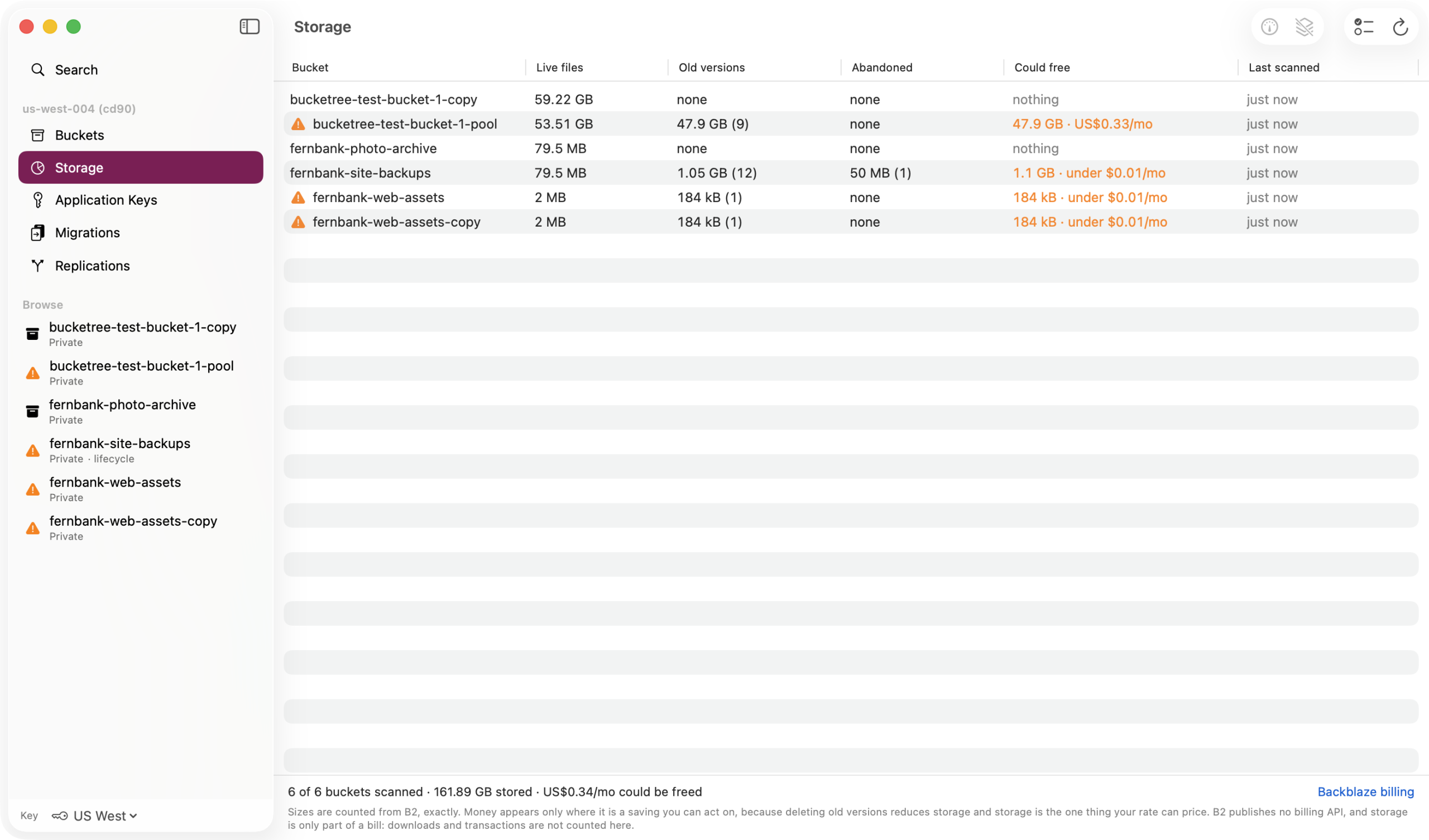
Bucketree reports what you are storing, not what you were charged. Backblaze publishes no billing endpoint, so anything claiming to show your bill is guessing.
What you are storing, counted
The Storage pane counts a bucket by walking it, so the figure is exact. It is opt in per bucket, because that walk costs listing transactions and cost should never ride on an impatient click.
Every destructive action, recorded
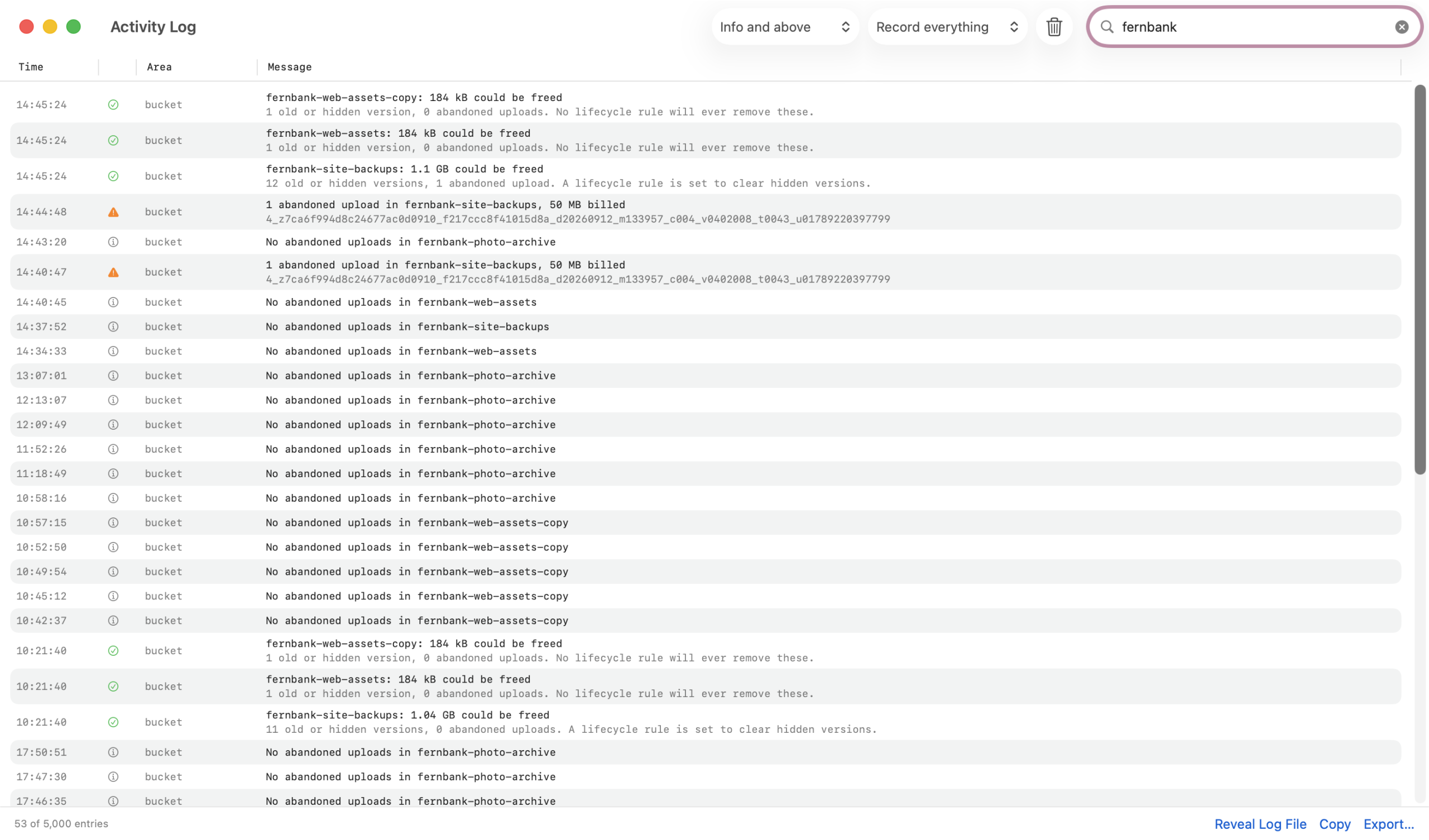
Deletes, hides, cancelled uploads and the ones that failed, with counts and bytes, kept on disk and exportable. No credential ever reaches it, and a test pins that.
Appearance
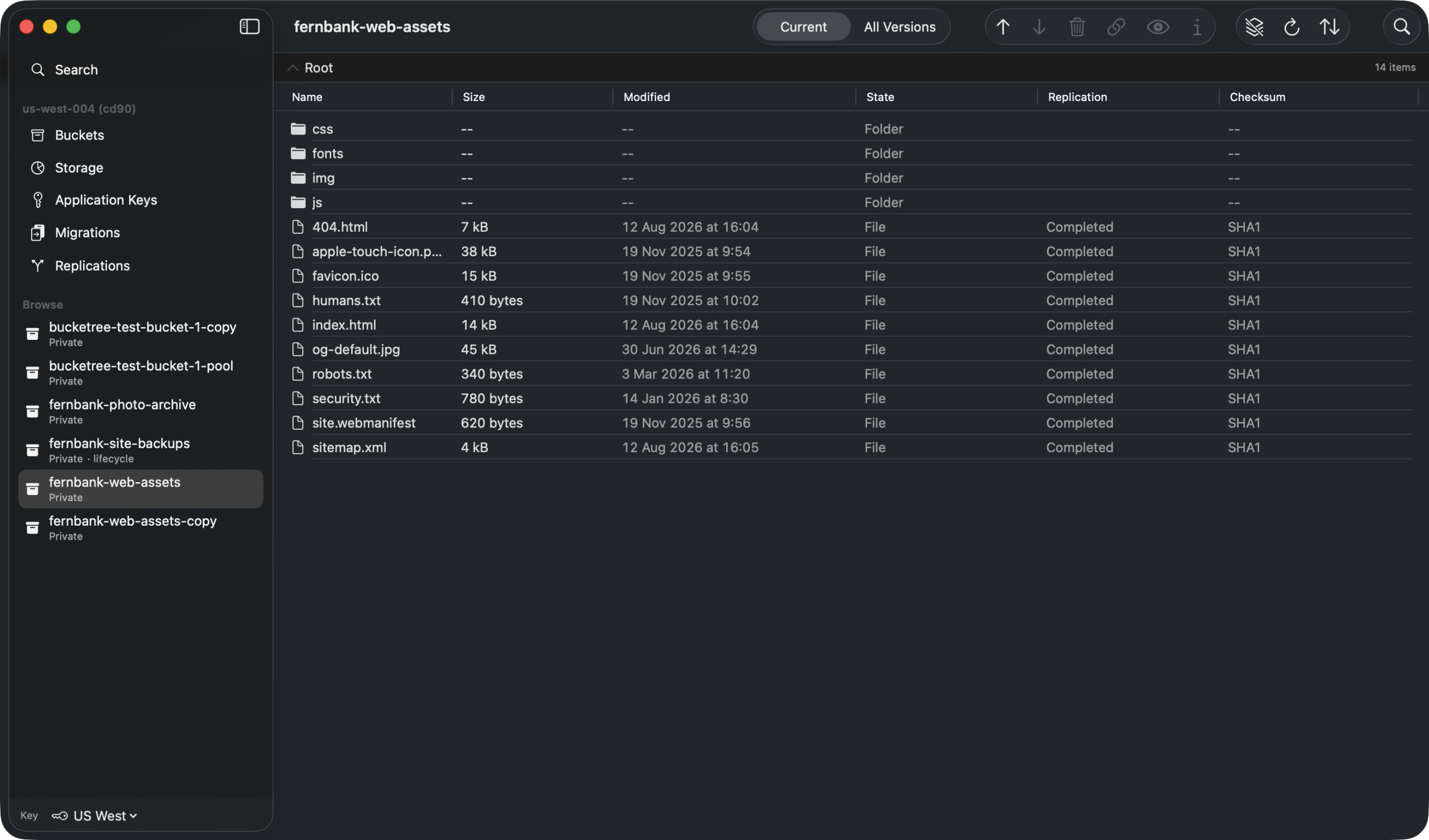
Dark, when your Mac is dark
Every pane follows the system appearance. Nothing to switch.
Thirty days free, then $25 a year.
Three Macs, or ten for a team, and no card to start. When the trial ends, browsing and downloading keep working.