
Copy or move files between Backblaze B2 buckets
The Backblaze console can upload, download, delete and share a file, and that is the whole list. It cannot copy one to another folder or another bucket. Bucketree does it the way Finder does: select, Copy, open the folder it should go to, Paste. Backblaze copies the file inside B2, so nothing passes through your Mac. Copy takes the file as it is now; a move takes every version with it.
Thirty days free, then $25 a year.
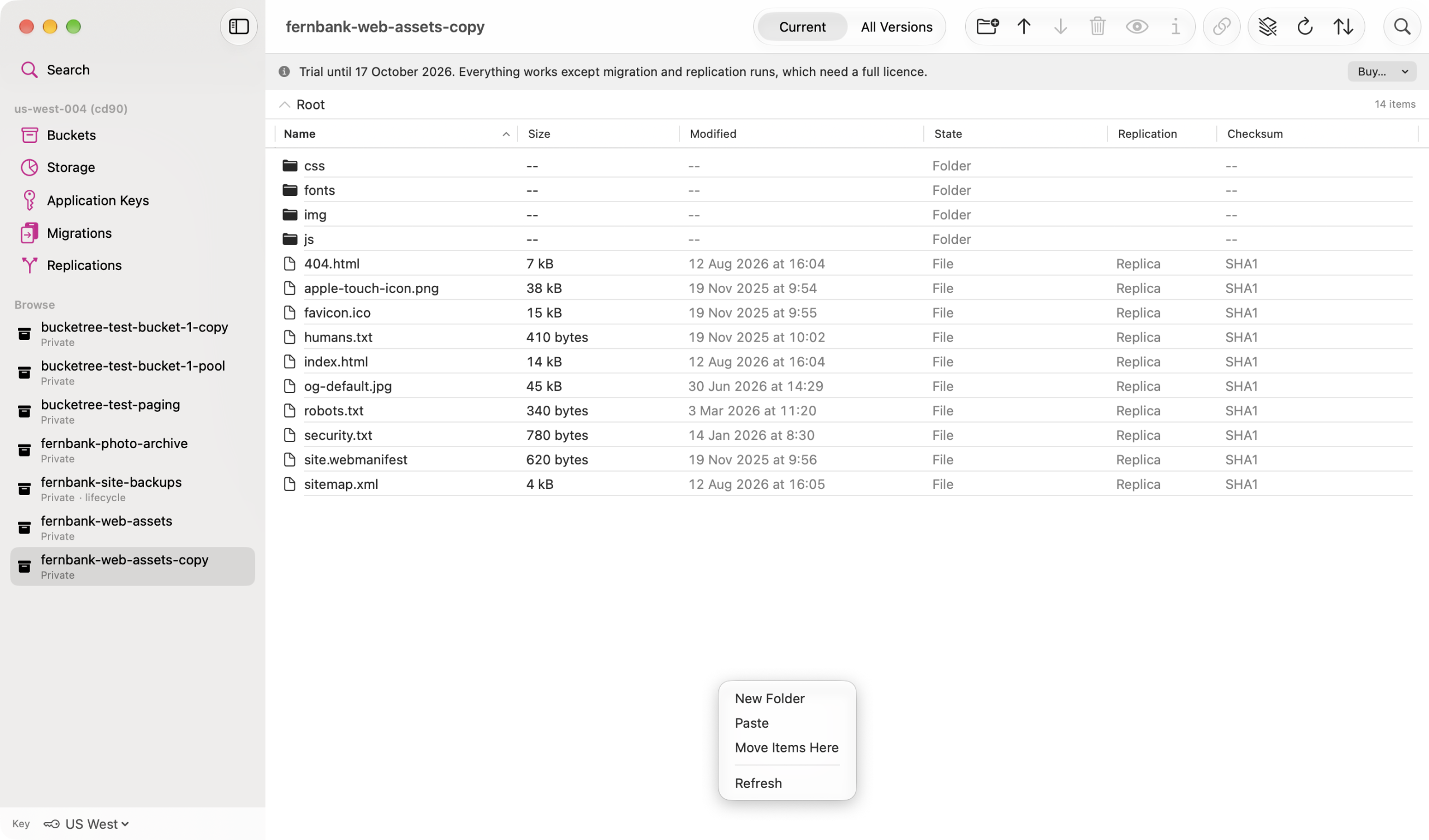
Copy and paste, into any bucket of the account
Command-C, then Command-V in any folder of any bucket in the account, or Option-Command-V to move. The same three verbs are in the Edit menu and in the right-click menu of the listing. Folders travel with everything in them.
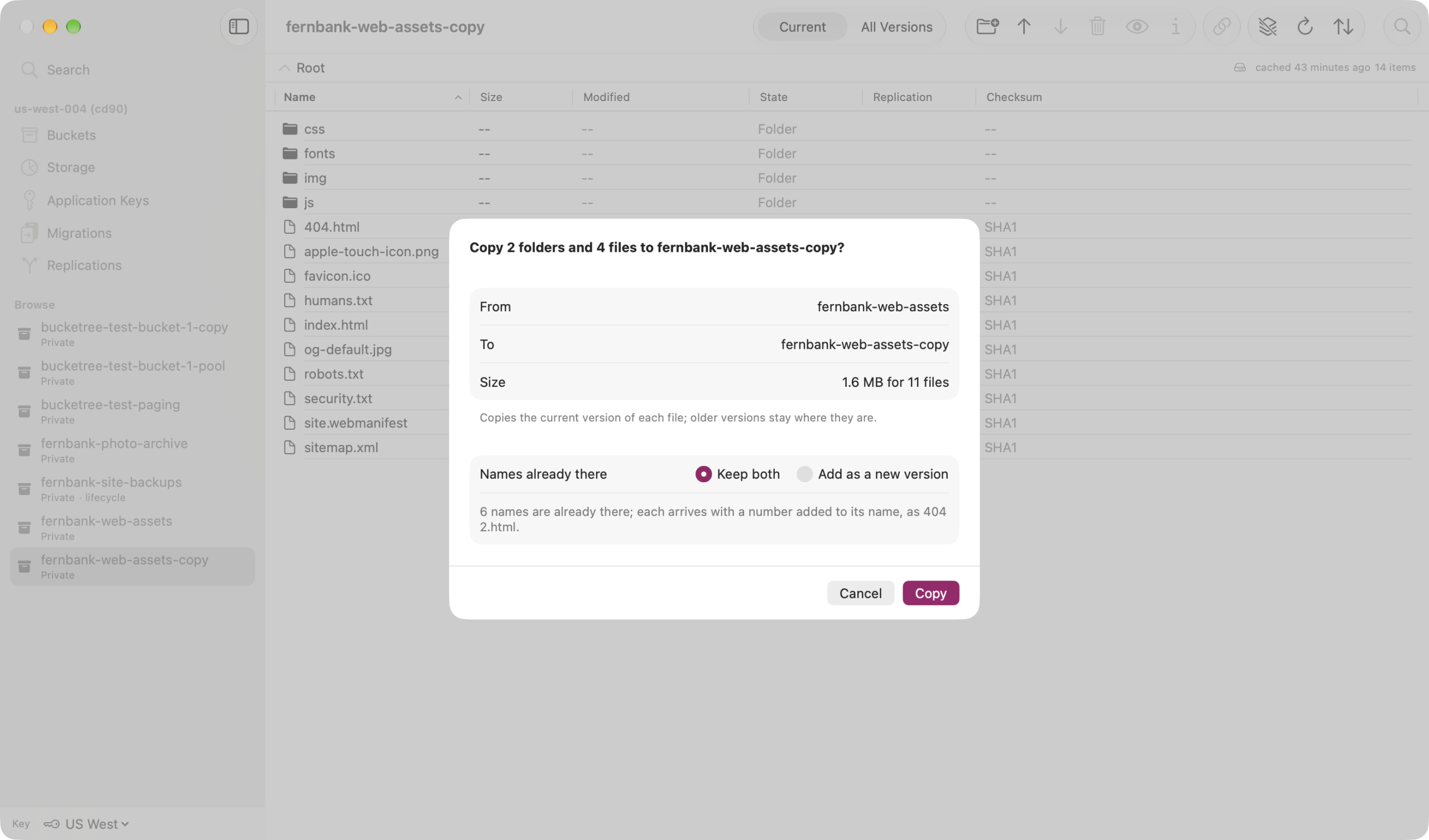
It counts before it starts
Nothing is written until you have seen what will happen. The sheet shows where the files are coming from and going to, counts files, versions and size, says how long when that is more than a minute, and says what it will do about names that are already there: keep both, or add the arriving file as a new version of the existing one.
A move takes every version
Copying a file takes it as it is now. Moving a file means it should no longer be here, so every version goes with it and the name leaves the source folder. In the All Versions view you choose the versions themselves, and exactly those travel. Nothing is left behind still being billed.
Inside B2, at any size
Backblaze does the copying on its own servers, so the bytes never touch your connection and a large file arrives whole, over 5 GB included. Every copy and every removal is recorded in the Activity Log, and Stop leaves what has already arrived.
How it works
B2 has no move. It has a copy that runs inside Backblaze’s own storage, one version at a time, and a delete. Bucketree plans the whole job first: which versions travel, under which names, what already exists at the destination, and what has to be removed afterwards. Then it runs the copies, and removes a source only once its copy has arrived, one name at a time, so a name moves whole or not at all. A hide marker cannot travel on its own, because there is nothing at the destination for it to hide, and the sheet says so rather than trying. Moving between accounts is a different job with different keys, and that is what Migrations are for.
Put it where it belongs.
Thirty days free, then $25 a year. No card to start.